- 20Compliance: the section you don't skip
- 21The scanner reads the whole ad
- 22The verdict
- 23Fix a flagged ad
- 24Re-scan: FAILED to PASSED
- 25The check holds if the AI is down
- 26When nothing safe is left, it says so
- 27One bad line, removed by the rules
- 28Site scan
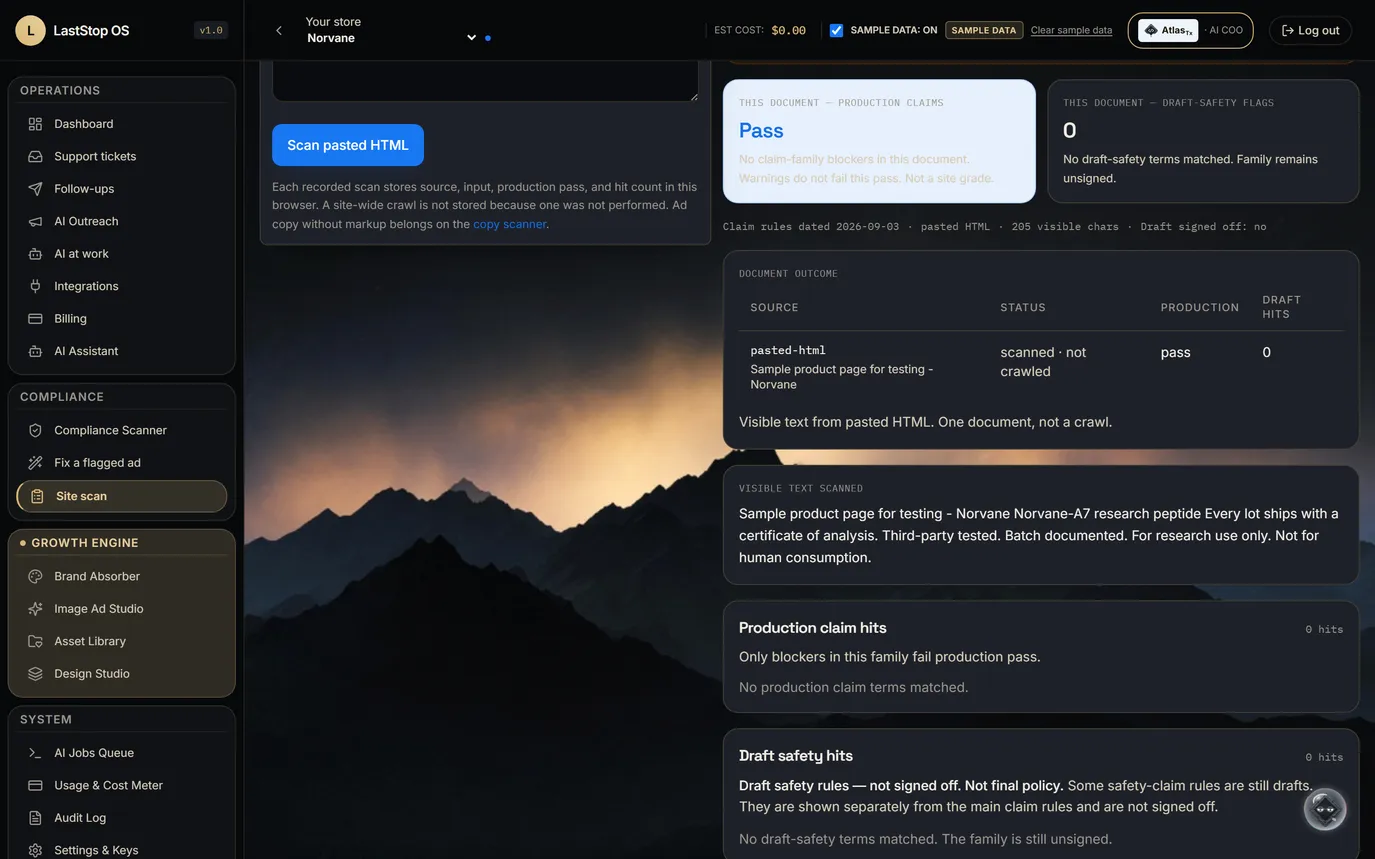
- 29A clean page passes
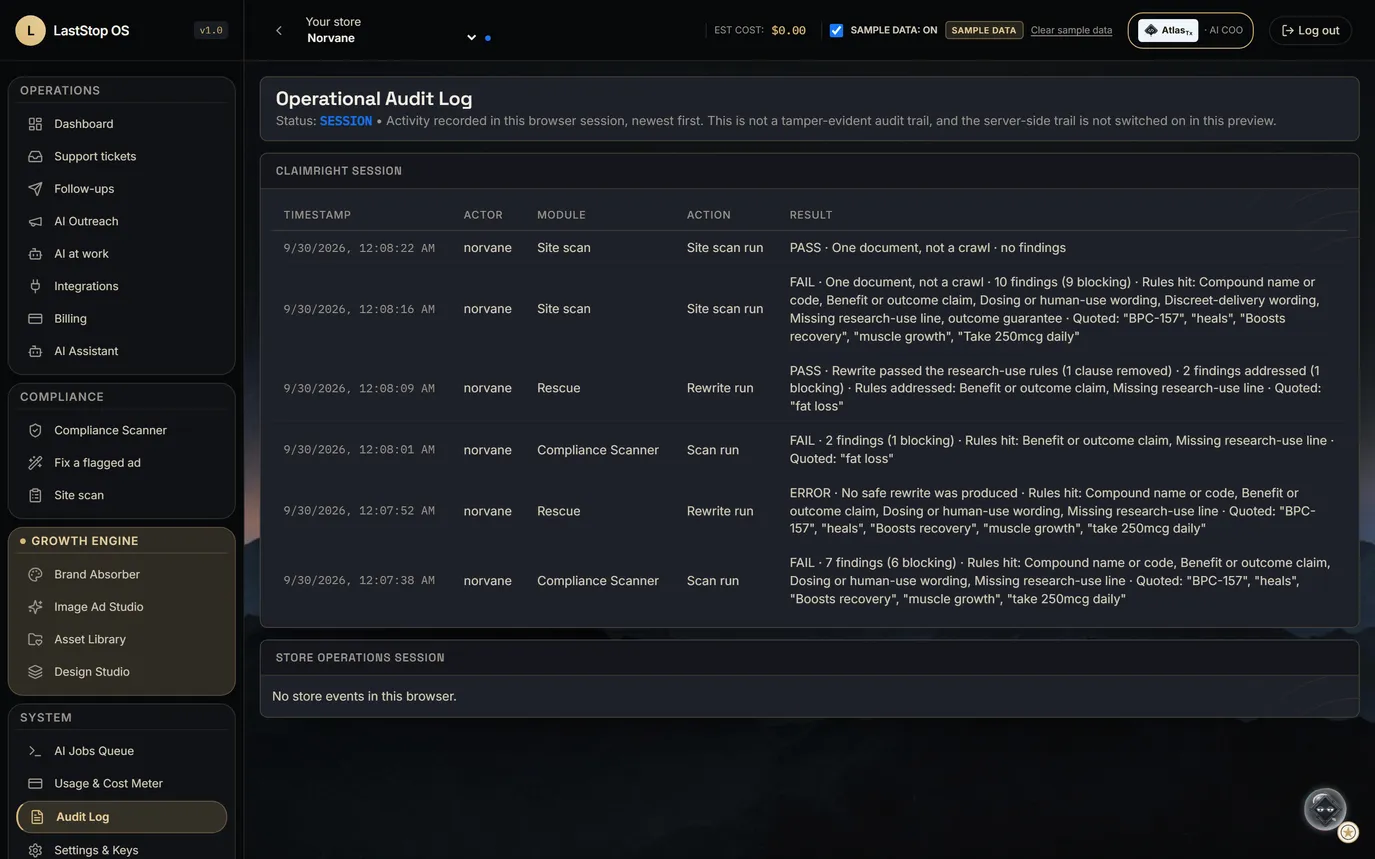
- 30Every run, in the audit log
Research-Use Peptide Sales, run on LastStop
A research-use store with an AI COO, an ad studio and a compliance desk built in.
- Norvane is a fictional brand made for this deck. Its name, logo and vial labels are invented, and any resemblance to a real company is unintended.
- Its three sample products carry invented brand codes (A7, Q3, T12) that name no real compound. Every vial label is set by code.
- Products in a store like this are sold for research use only, not for human consumption. Nothing in this deck is a health claim.
- Every screen runs on labelled SAMPLE data. No orders, customers, revenue or certifications are claimed.
- The storefront connection (WooCommerce or Shopify) is in the build plan, not built.
The AI
AtlasTx, your Triage COO
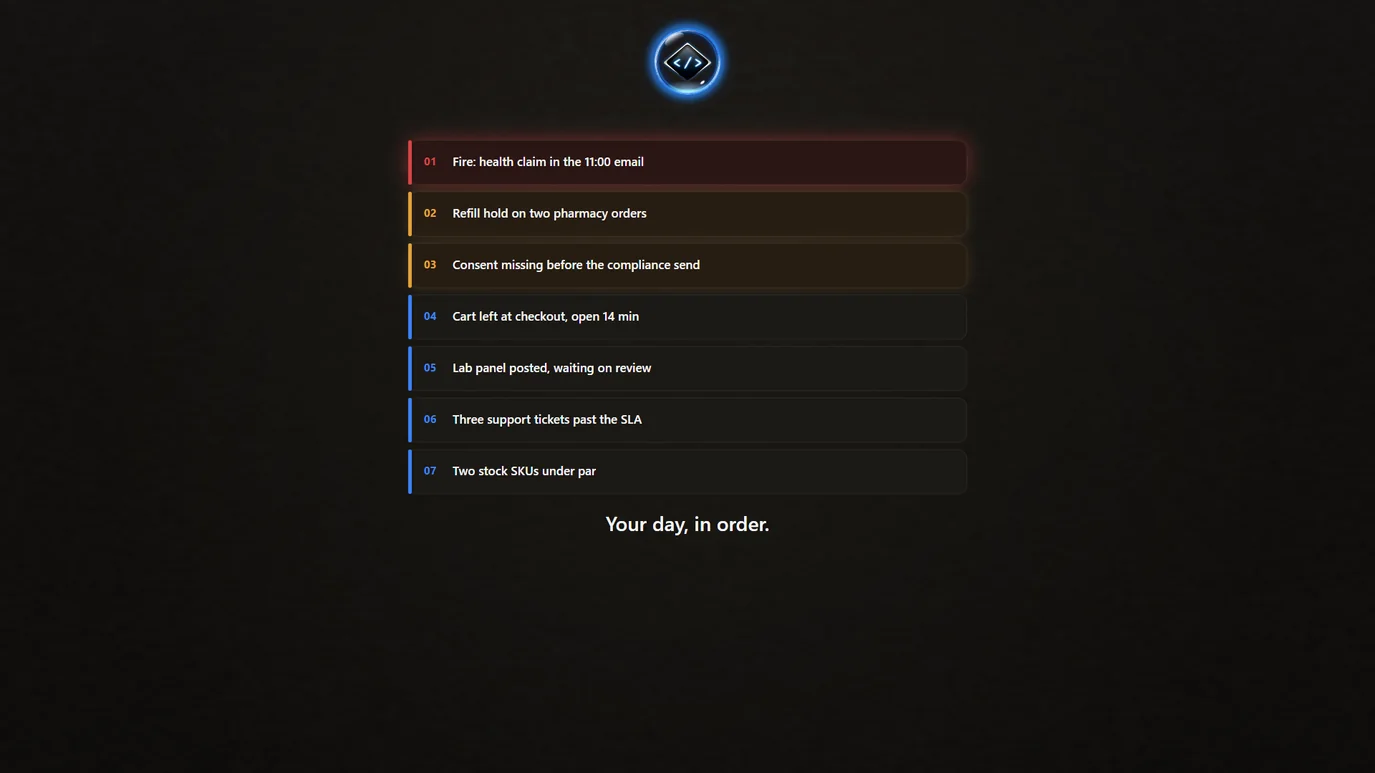
Held orders, missing COAs, low stock and flagged claims in one ranked list.
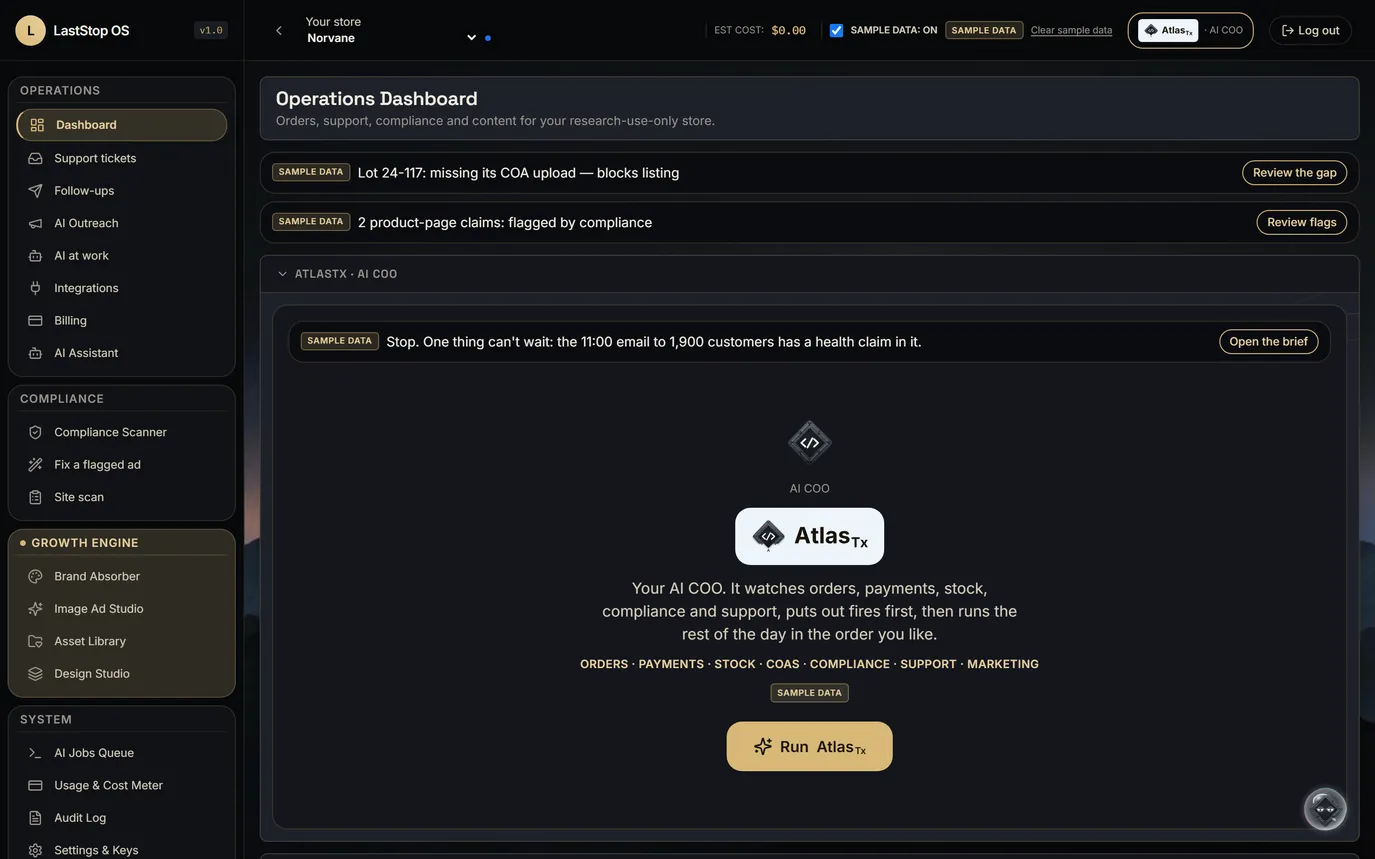
- The store dashboard opens on AtlasTx. It watches orders, carts, support, stock, lot paperwork, payments and flagged claims.
- Sample queue: a held order, open support tickets, a lot missing its certificate of analysis (COA), a low-stock product, two flagged product-page claims and five abandoned carts.
- Atlas ranks every open item inside the app, with an AI re-rank available.
- Nothing runs until someone presses Run AtlasTx.
The run
- What a run does: orders, carts, tickets, stock, lot paperwork, payments and compliance flags stream in; AtlasTx takes them in; the ranked list comes out one card at a time.
- This is an illustration drawn in code, not a screen recording. The item count in it is illustrative.
- In the product, the run is one button: Run AtlasTx.
Press Run. It pulls in the whole store, then hands back your day in order.
The queue and the fire card
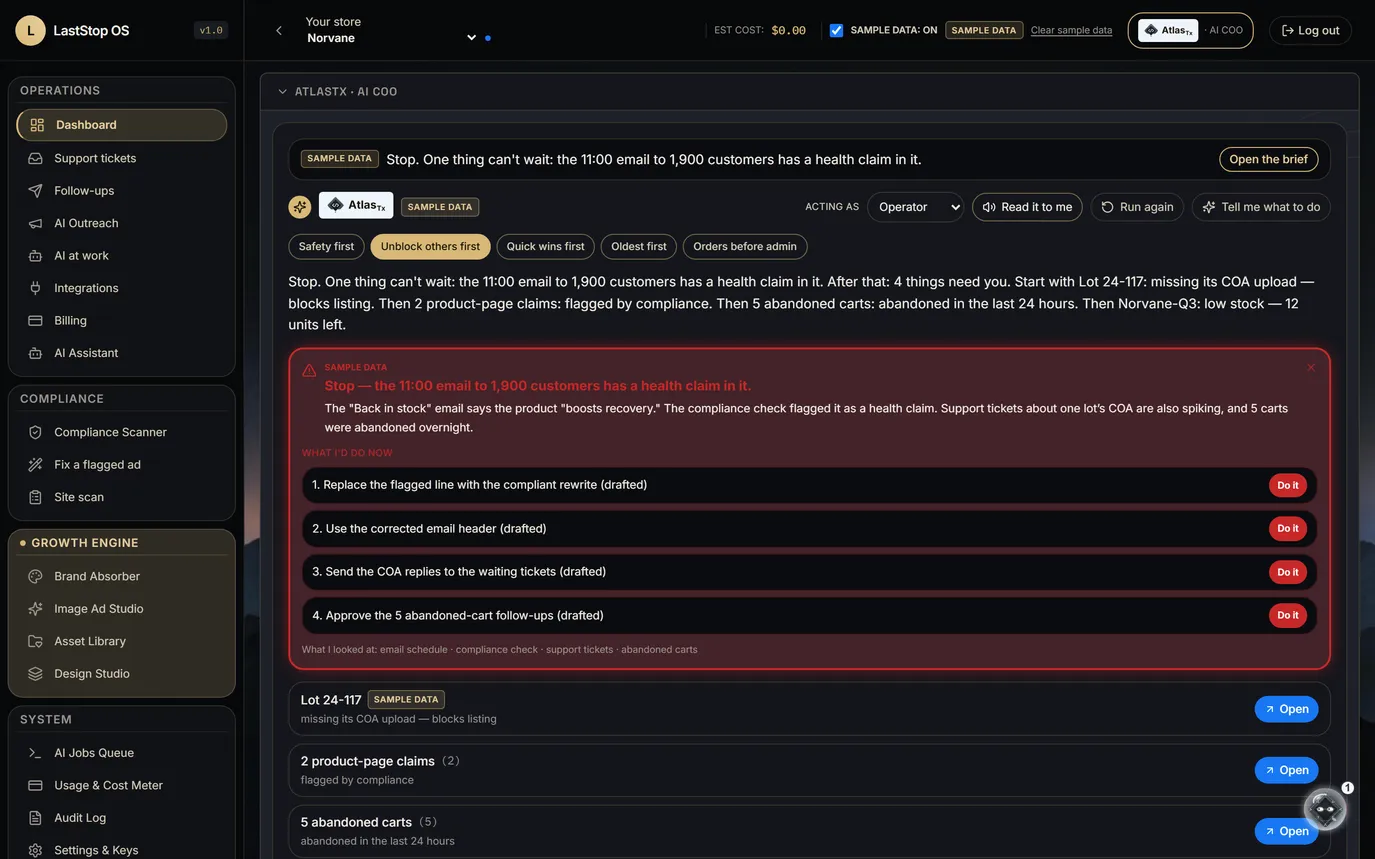
- Sample fire card: an email scheduled for 11:00 to 1,900 customers contains a health claim. It is stopped for review before anything else.
- Then the ranked queue: held payments, a missing COA, low stock, flagged claims, carts.
- Five sort orders to choose from.
- AtlasTx lines up the fix; a person clears each item.
Fires first. A health claim in the 11:00 email outranks everything.
Support tickets
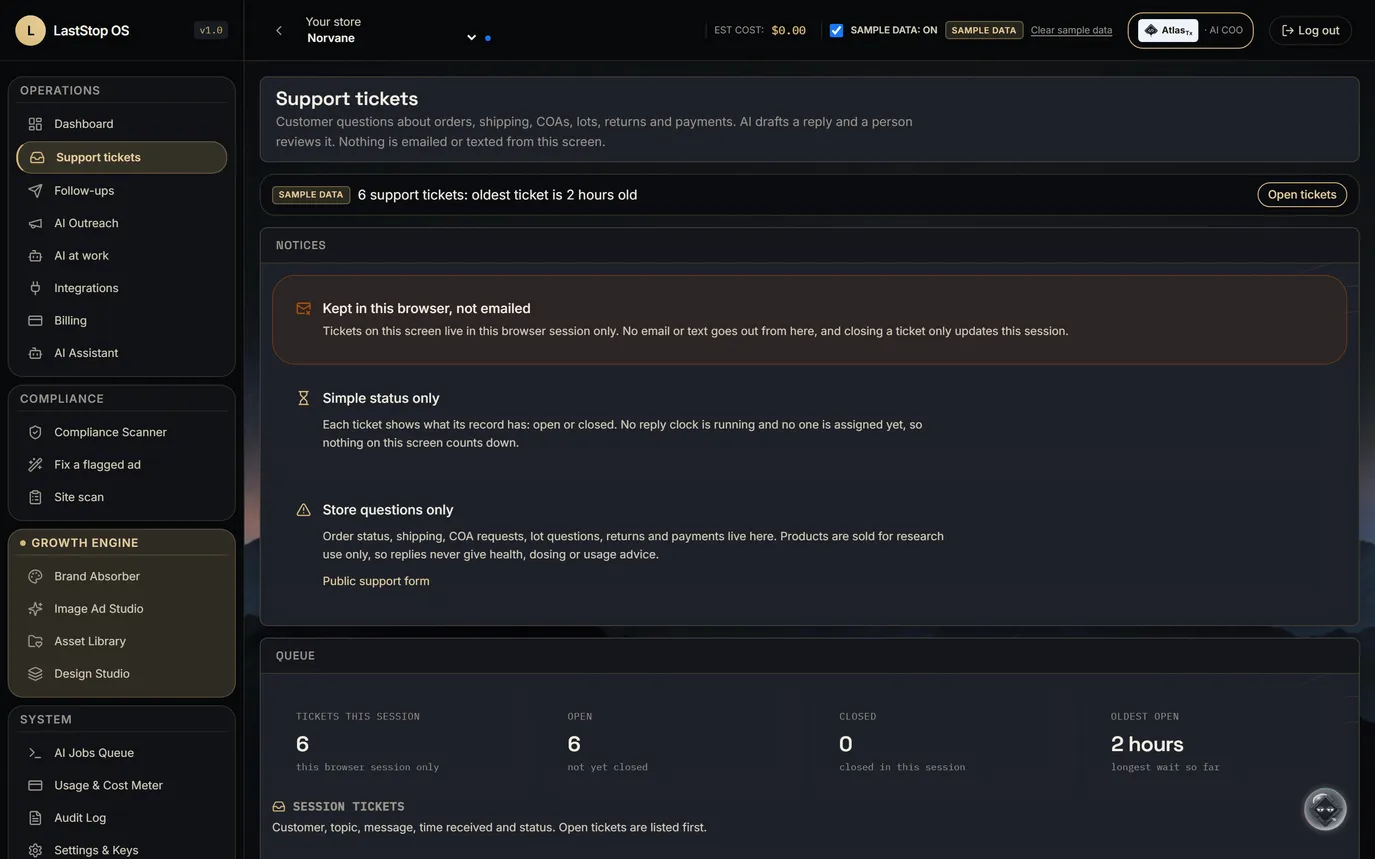
- Tickets are about orders, shipping, COAs and lots, returns and payments. No clinical wording.
- AI drafts an urgency read and a suggested reply with the order in view; a person reads, edits and sends.
- Nothing is emailed or texted from this screen.
Order, shipping, COA and lot questions, each with a drafted reply.
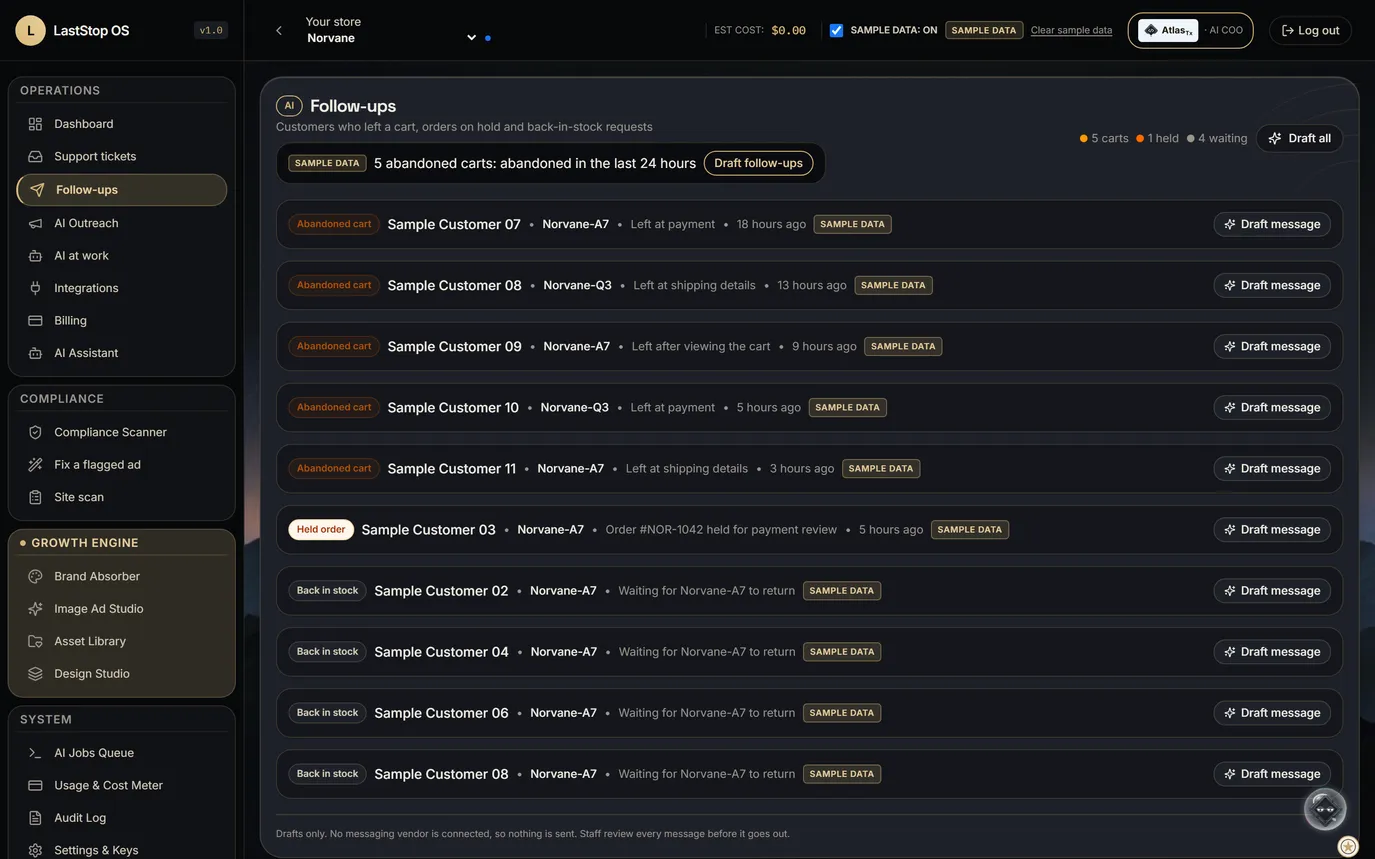
Follow-ups
- Every abandoned cart, held order and waiting restock request is listed with a drafted message.
- A person approves, edits or discards. No messaging provider is connected, so nothing is sent.
Abandoned carts, held orders and back-in-stock requests, each with a draft.
The platform
LastStop for a store
Keep your store. LastStop runs the work around it.
- WooCommerce or Shopify stays the storefront. LastStop is the operating, creative and compliance layer above it, with AtlasTx as the AI COO.
- The store connector (orders, customers, products, stock, lot and COA fields) is in the build plan. Nothing is connected yet.
- Until then, every store screen runs on labelled SAMPLE data.
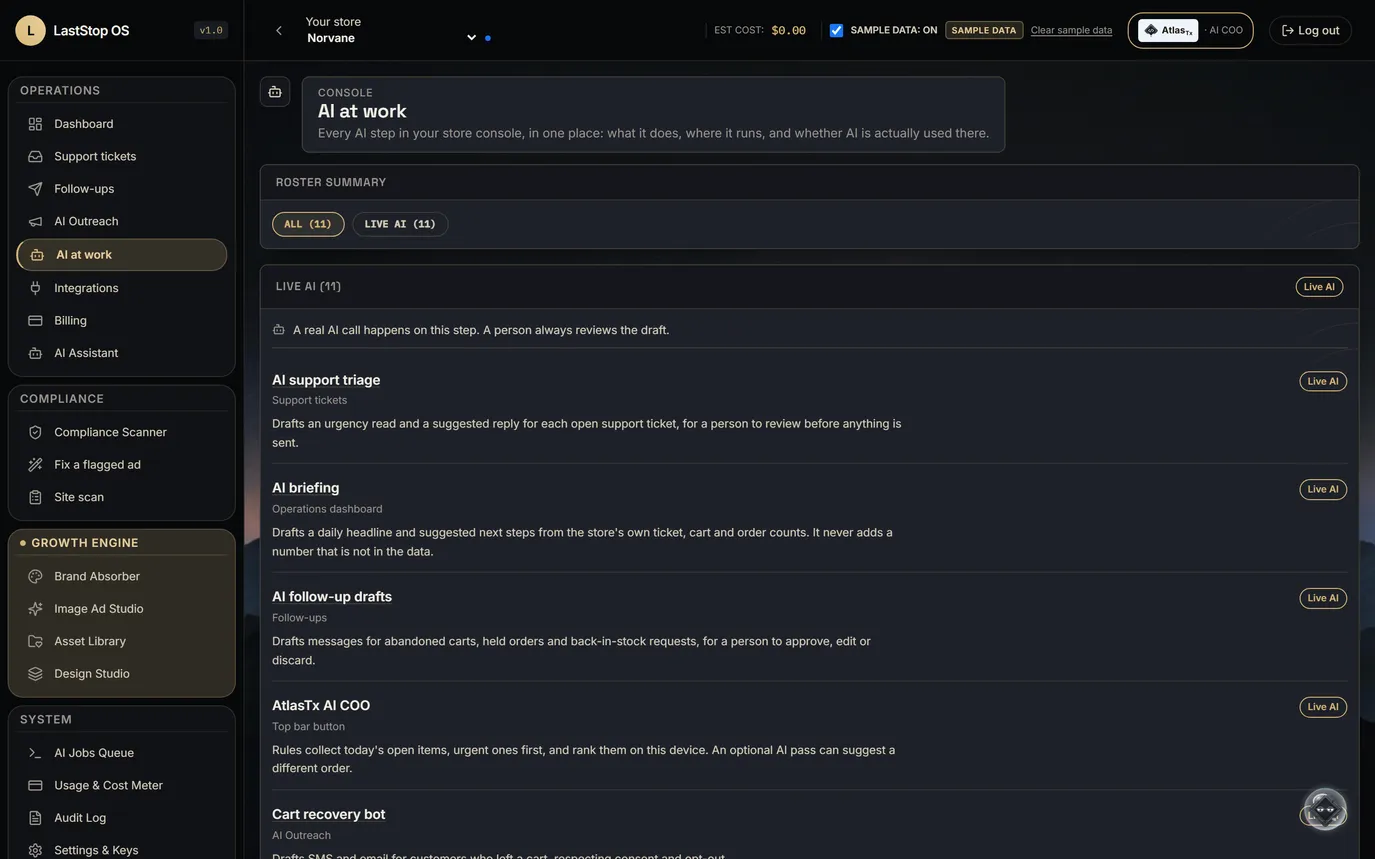
AI at work, store mode
- The roster: the AtlasTx queue, a daily briefing, support triage, follow-up drafts, four outreach bots (cart recovery, back-in-stock, win-back, new leads), an operator assistant, provenance and replay, and brand-voice customer messaging.
- The briefing never adds a number that isn't in the data.
- Provenance and replay records which AI step ran, the wording it was given and what it read, and can re-run it to compare.
- The list is generated from the code, not written by hand.
Eleven AI steps, listed from the code. None sends anything on its own.
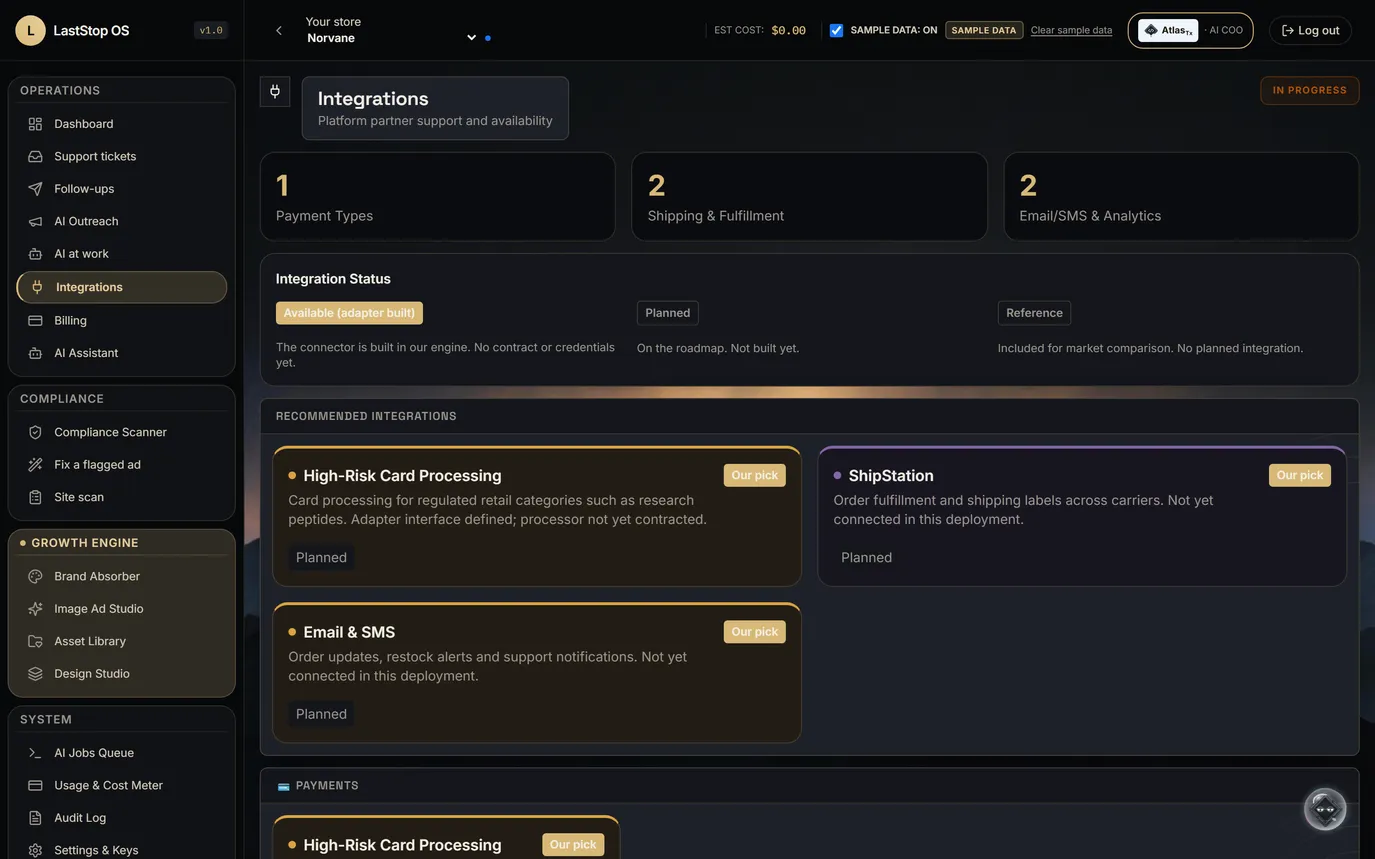
Integrations for a store
- On the page, all planned: card processing (processor not yet contracted), ShipStation labels and tracking, 3PL fulfilment, email and SMS, and analytics.
- The store connector itself is in the build plan.
- Each card says what is built, planned or waiting on an agreement. None is shown as live.
- Ad-account hand-off is in the build plan: an export pack first, a direct push later.
Store, payments, shipping and messaging, each with an honest status.
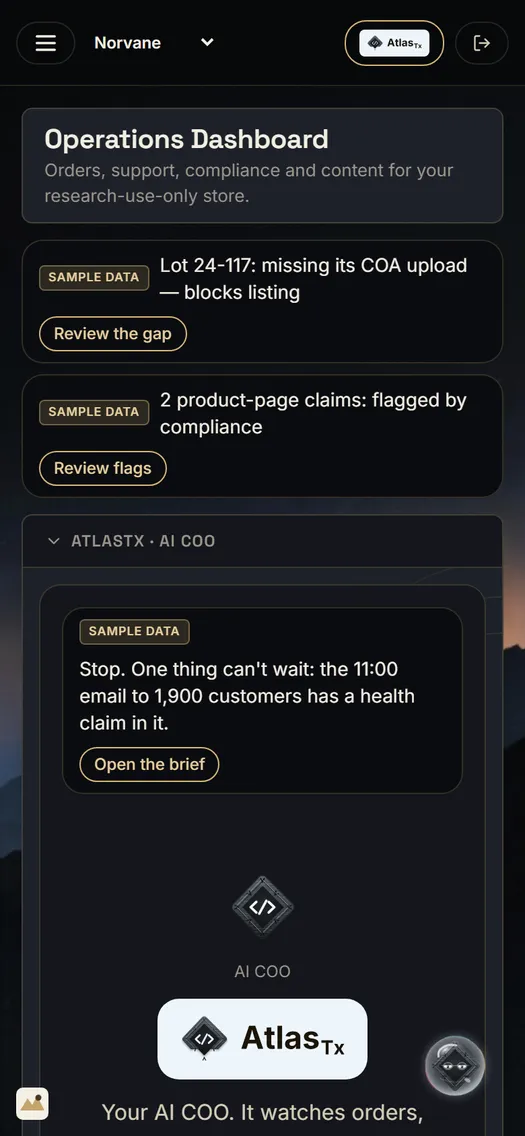
On a phone
- The dashboard, AtlasTx, the Ad Studio, follow-ups and support fit a 390-pixel phone screen.
- SAMPLE DATA stays visible on the phone.
- Anything that sends or changes a record still needs an approve tap.
- Perfectly wrapped to fit your phone. iOS and Android apps are planned, for you and your patients.
The whole console fits a phone.
Growth Engine
Growth Engine
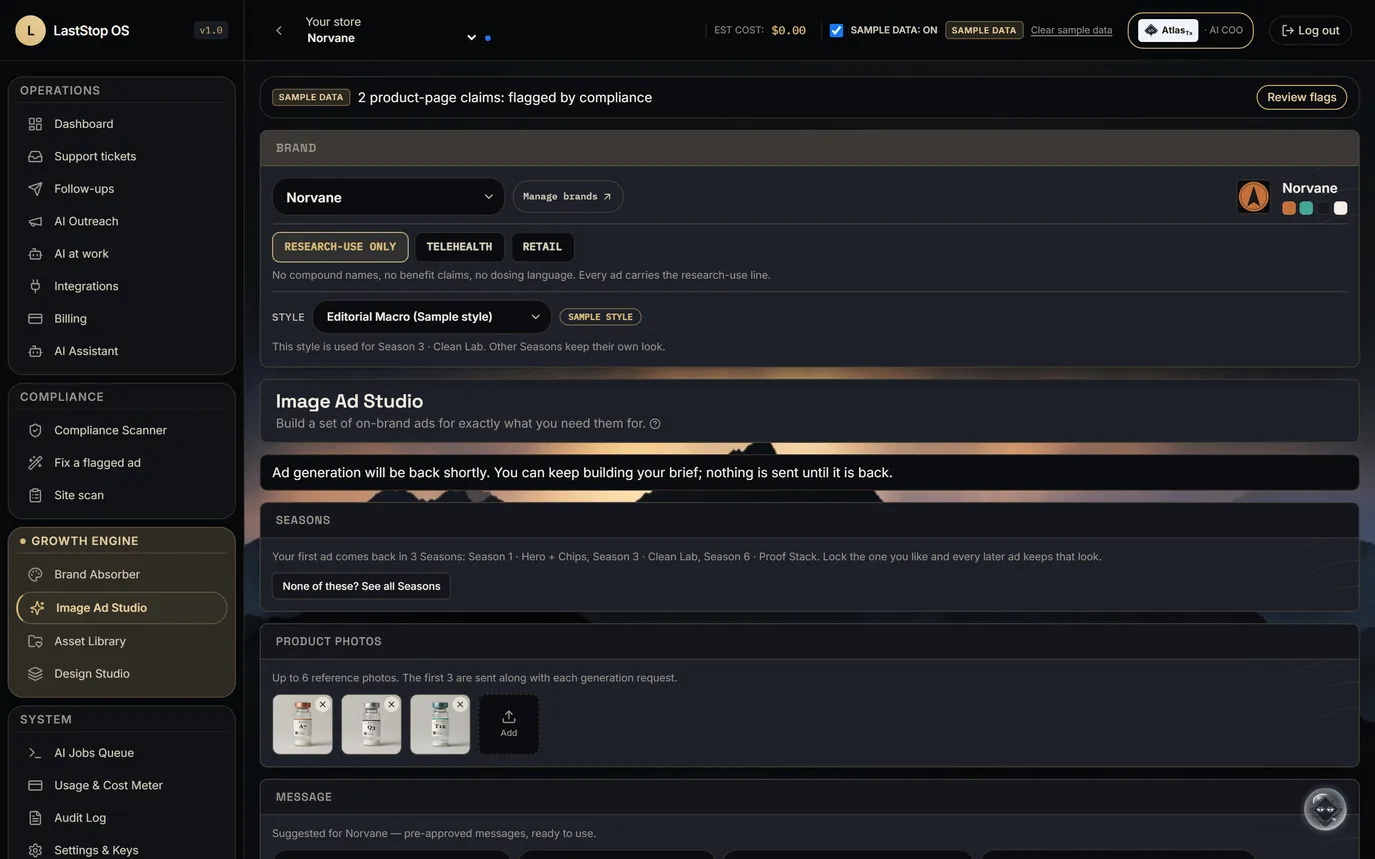
Brand kit in, finished research-use ads out, every line checked.
- Brand Absorber reads the store's site into a brand kit; Style Absorber borrows a look without the identity.
- Ad Studio builds finished ads for 31 research-use purposes in 7 formats, in the store's locked Seasons.
- Outreach bots draft cart recovery, back-in-stock, win-back and first-touch messages. Nothing sends without a person.
- The research-use rules run on every ad before a person sees it.
Brand Absorber
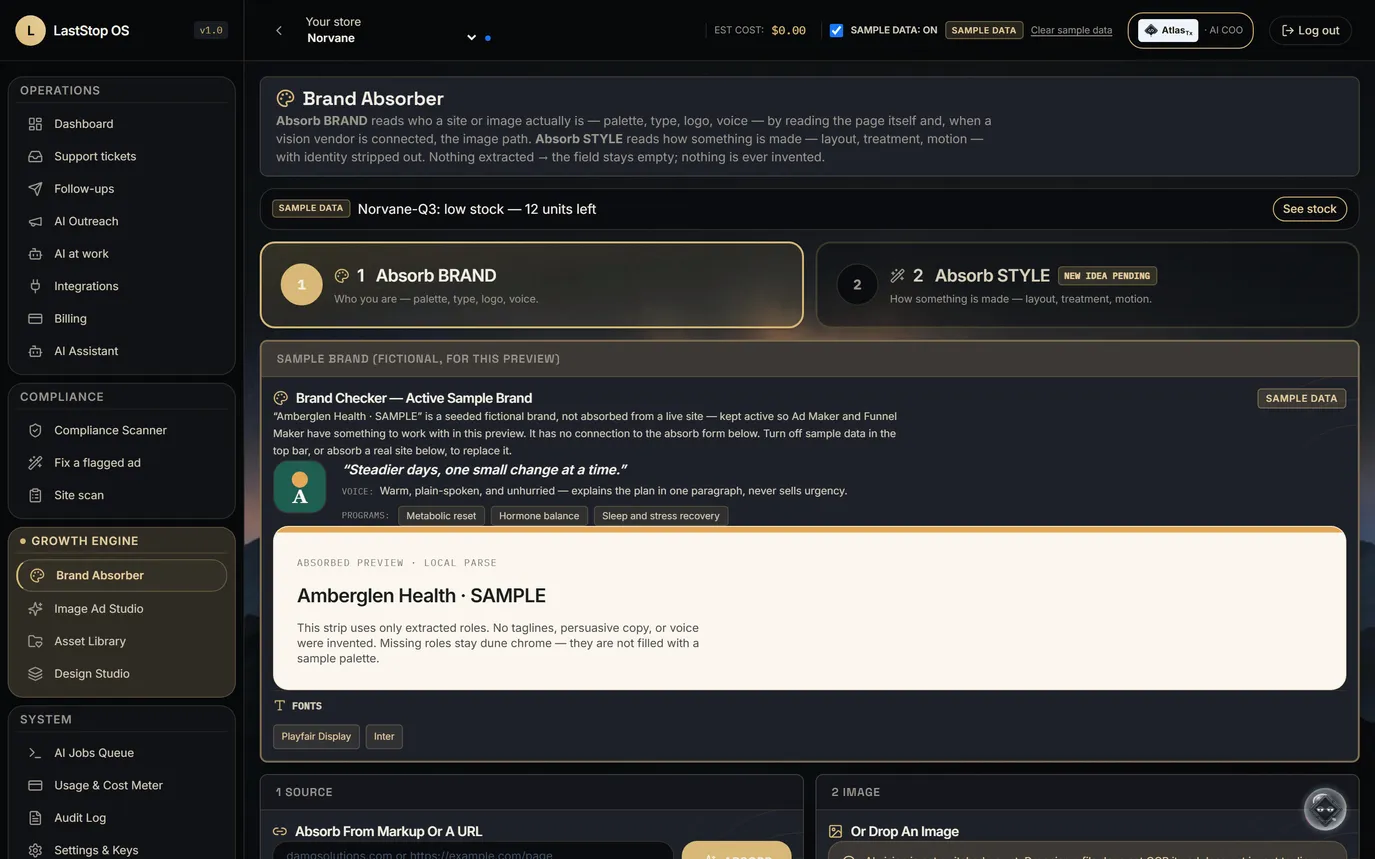
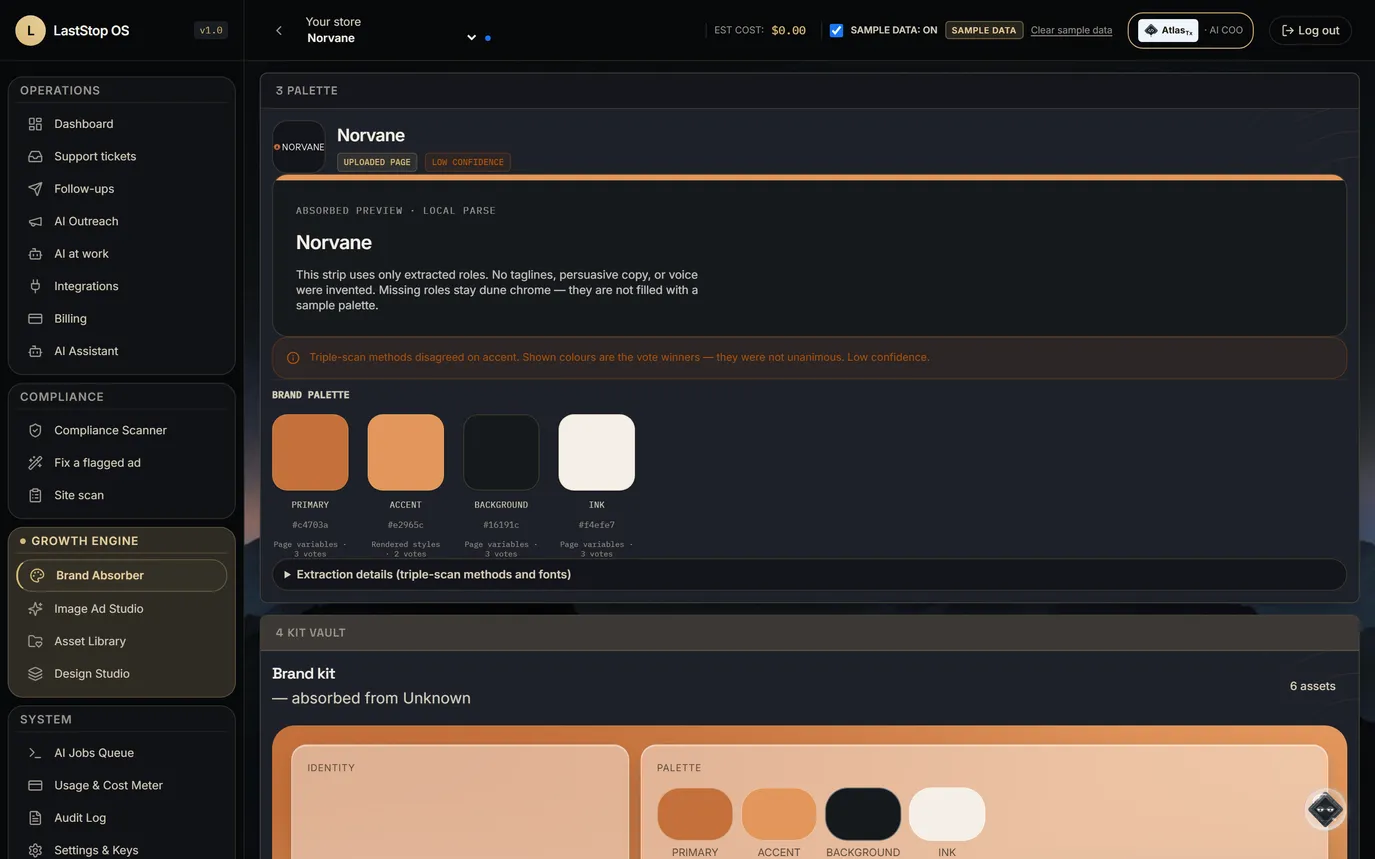
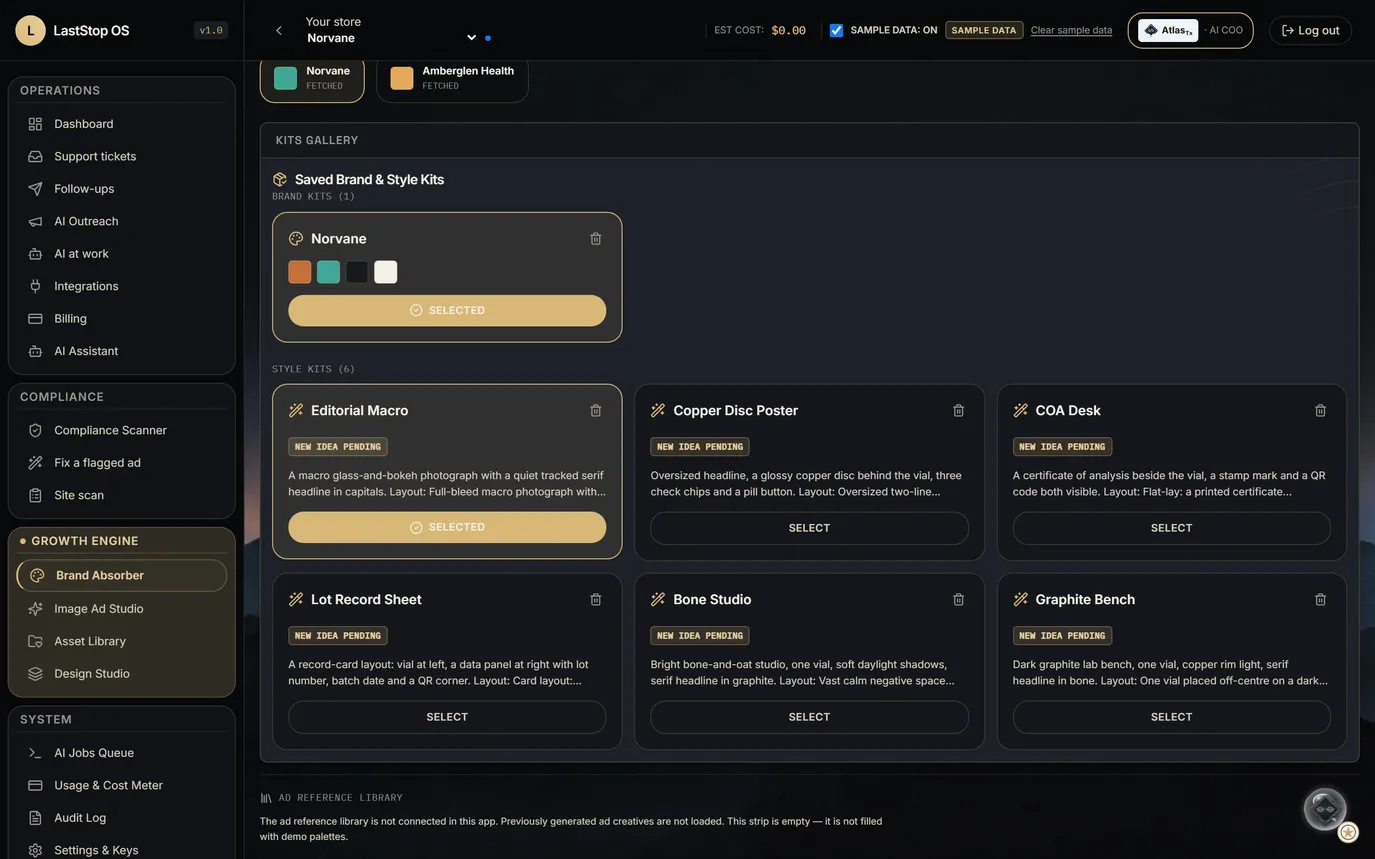
- Reads a site's palette, fonts and logo into the brand kit. An HTML upload works too.
- The kit also holds the store's product photos and its pre-approved messages.
- A person reviews and edits the kit before it is used.
Paste the store's address. Get the brand kit: colors, fonts, logo.
Style Absorber
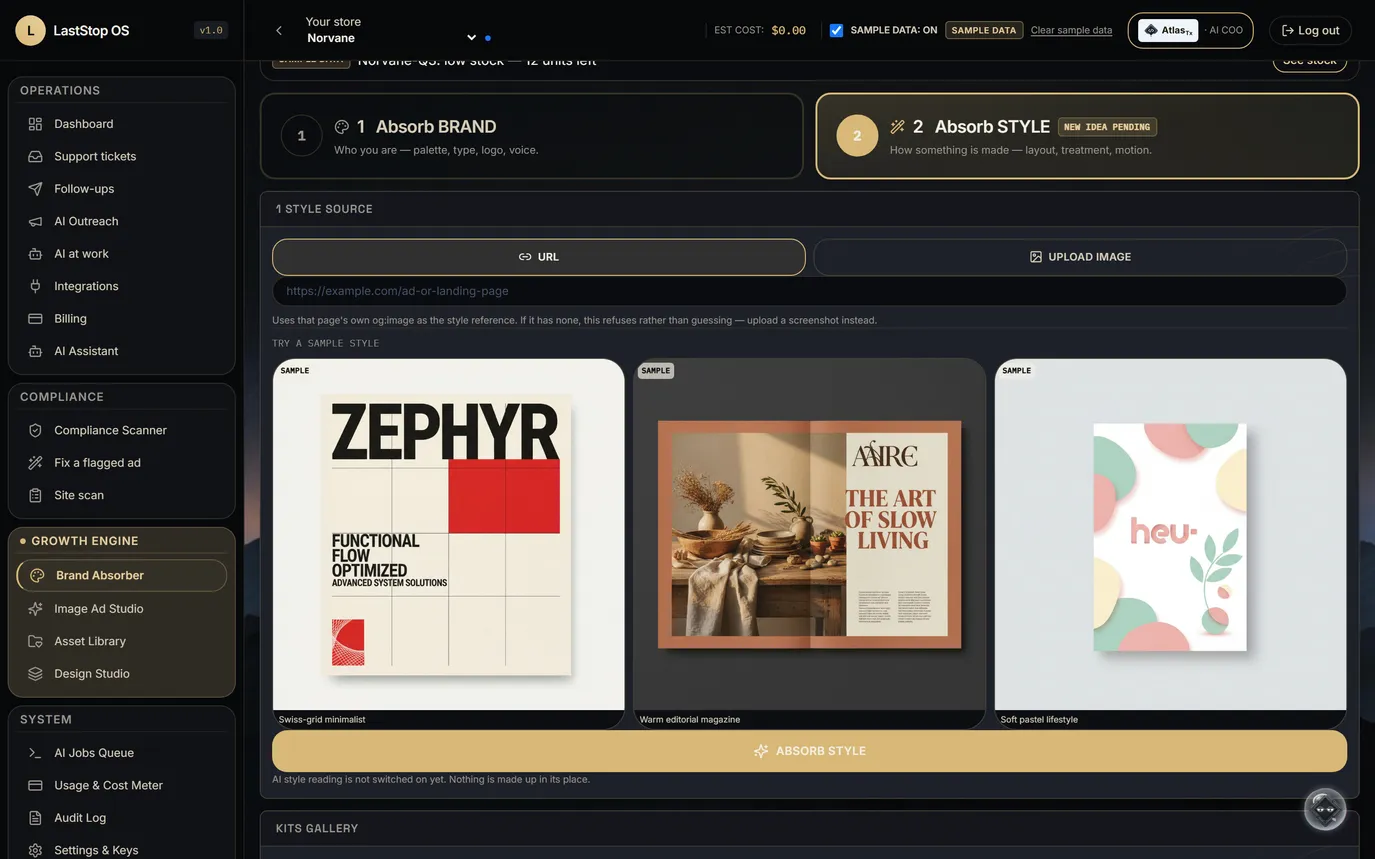
- Rebranded? New style? Want to test a look, or learn from one that's working for someone else?
- Upload a screenshot or give a page address. It extracts a style kit: layout, composition, type treatment, color treatment, photography, motion and copy approach.
- It never carries identity: no logos, company or product names, copy text or exact color values. A check refuses any kit that leaks a hex color code.
- If the page has no preview image, it fails honestly instead of guessing.
Borrow the look. Never the brand.
Ad Studio, research-use mode
- Formats: feed 1:1, feed 4:5, Stories and Reels 9:16, display 16:9, email header, web hero, product card.
- Copy comes from the store's pre-approved messages, for example "Every lot has its own certificate of analysis."
- Every ad carries "For research use only. Not for human consumption.", set by code.
- The rules block compound names and codes, benefit words, and dosing or human-use words on every ad.
- The image model never draws the logo, the call to action or the research-use line.
31 research-use purposes, 7 formats, and the research-use line on every ad.
Seasons
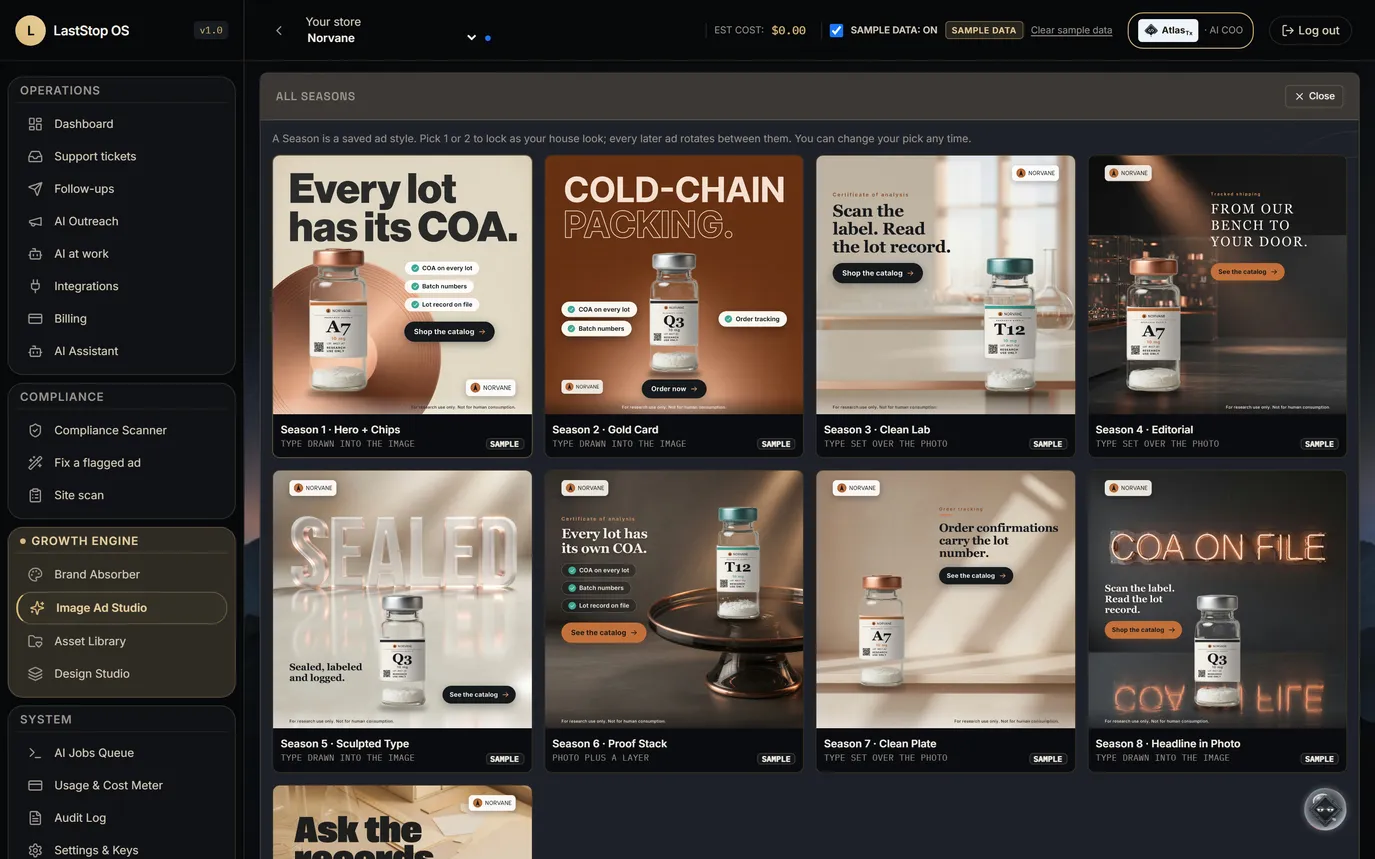
- A Season is a saved, versioned ad recipe. Nine are active in the gallery.
- The first ad arrives in three Seasons. "None of these?" opens the gallery of finished samples, each labelled SAMPLE.
- Lock one or two Seasons as the house look; later ads rotate between them.
- Every ad records the Season and version it came from, so a good ad can be traced and made again.
- When the image model draws a headline, a text reader checks it: one retry on a mismatch, then set type. A misspelled ad is never shown as finished.
Pick a house look once. Every ad after that stays on it.
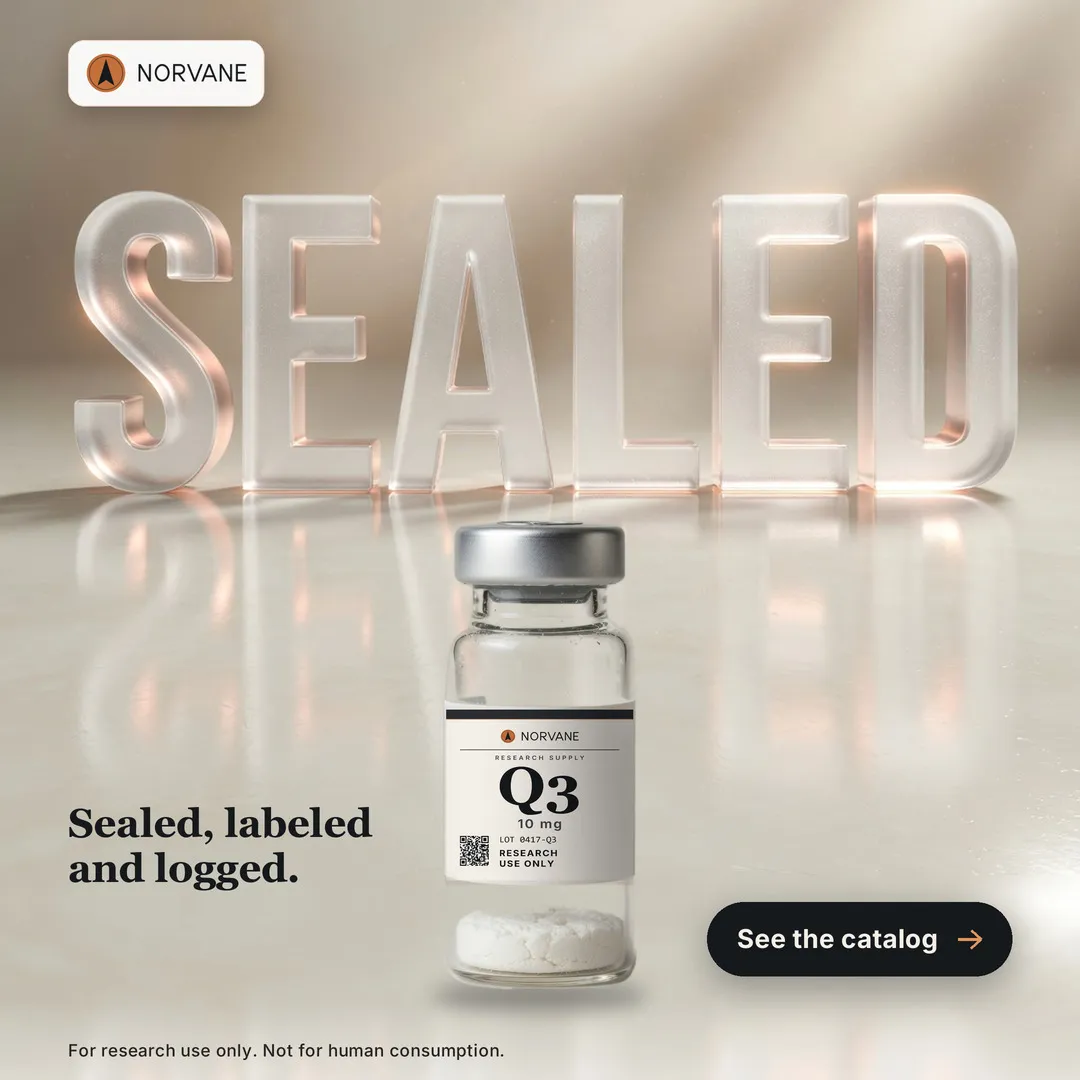
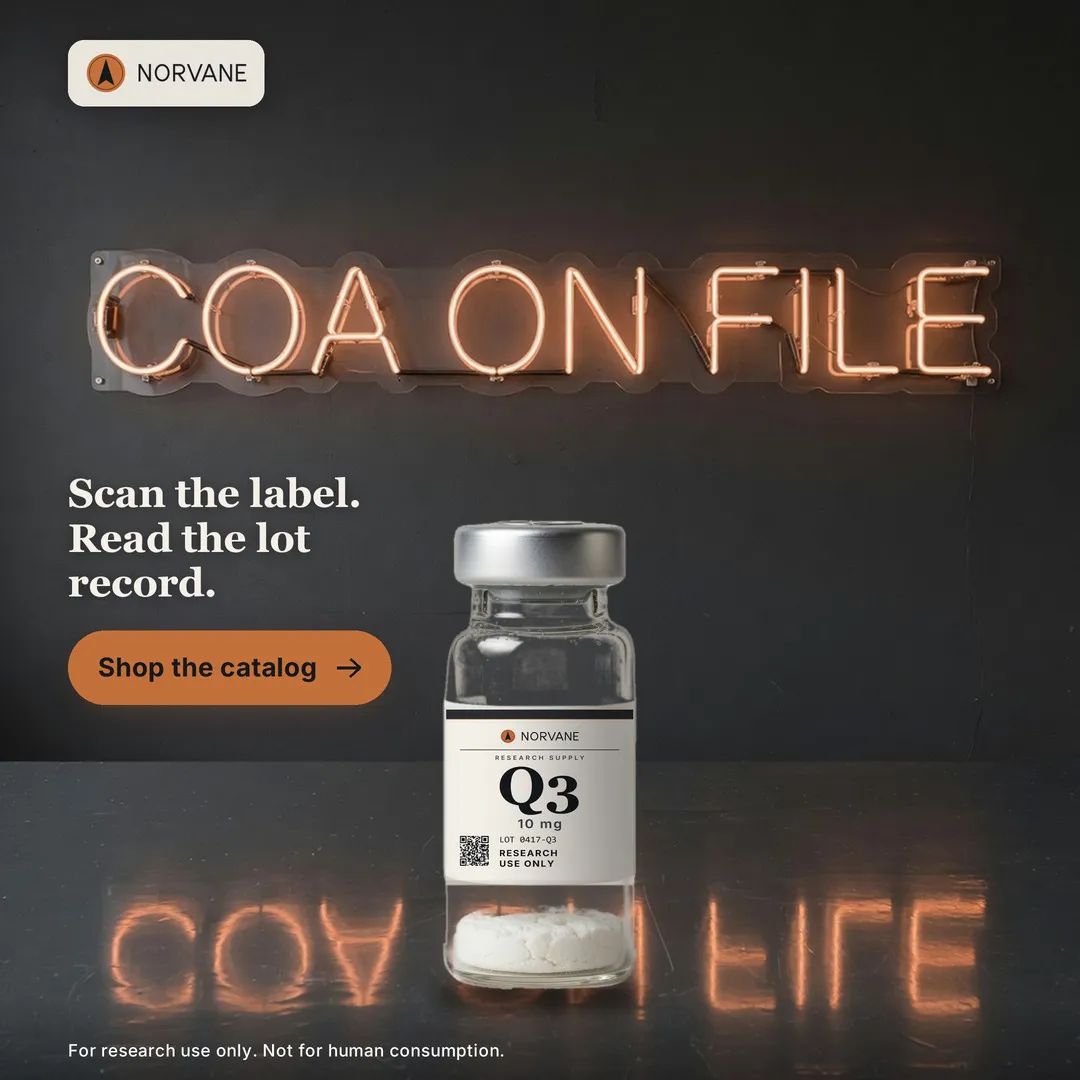
What the Seasons look like
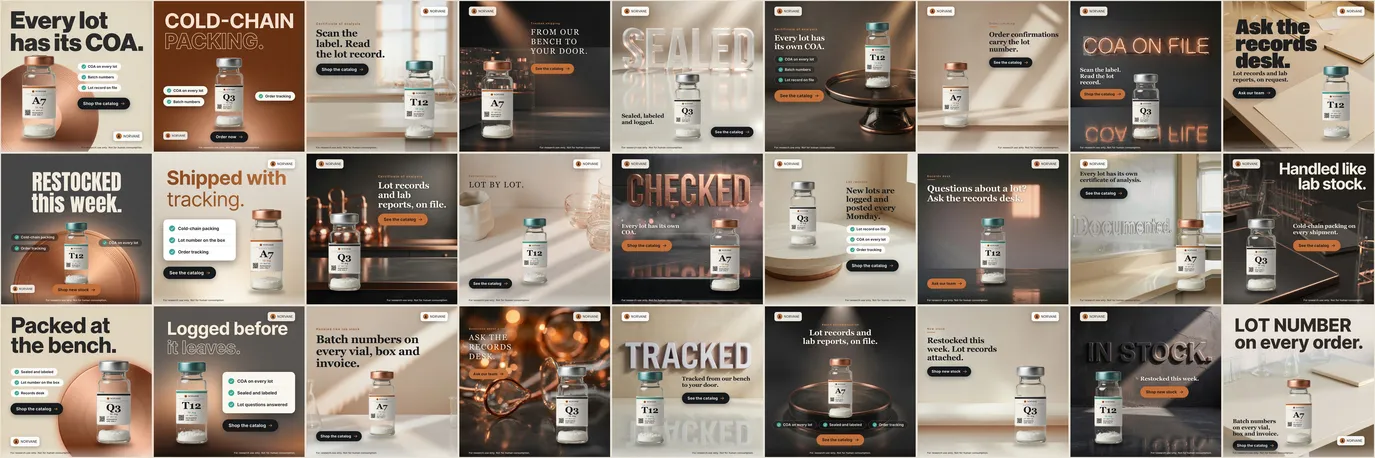
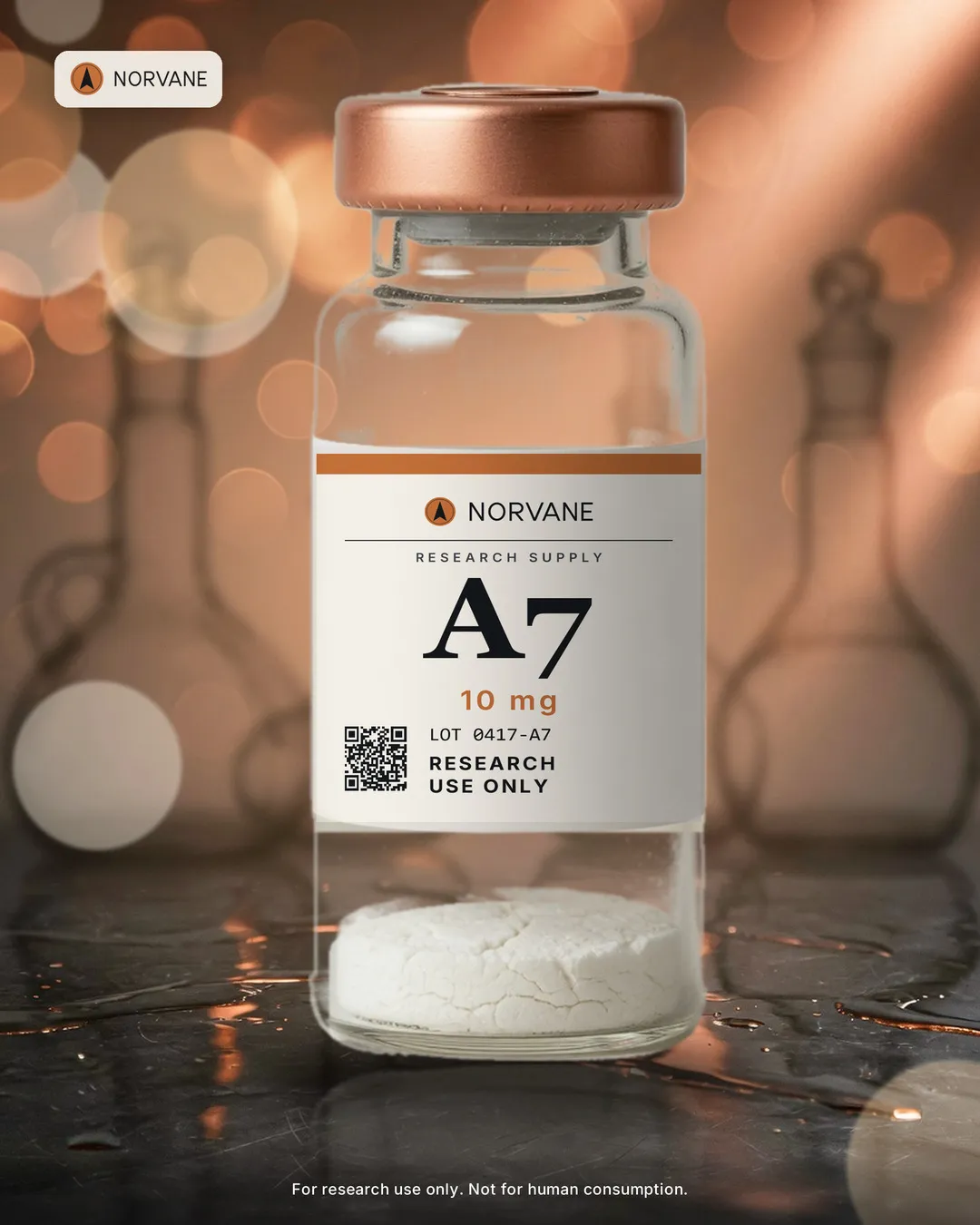
- Sample ads made outside this demo workspace: pictures from an image model, words, labels and required lines set by code. Labelled SAMPLE in the app's Season gallery.
- Nine Seasons across, three variants down: a 3 × 9 grid.
- Tone, placement and product alternate by rule, not at random, so the grid reads as one pattern.
- Vials and their labels are placed by code. Every word the image model drew was read back letter by letter.
- No people, no syringes, no health, benefit, dosing or human-use words, no purity figures. The research-use line is on every tile.
- Sample creative for a fictional brand. Nothing here has run as a paid ad.
27 sample ads, 9 Seasons, one pattern you can see from across the room.
Asset Library
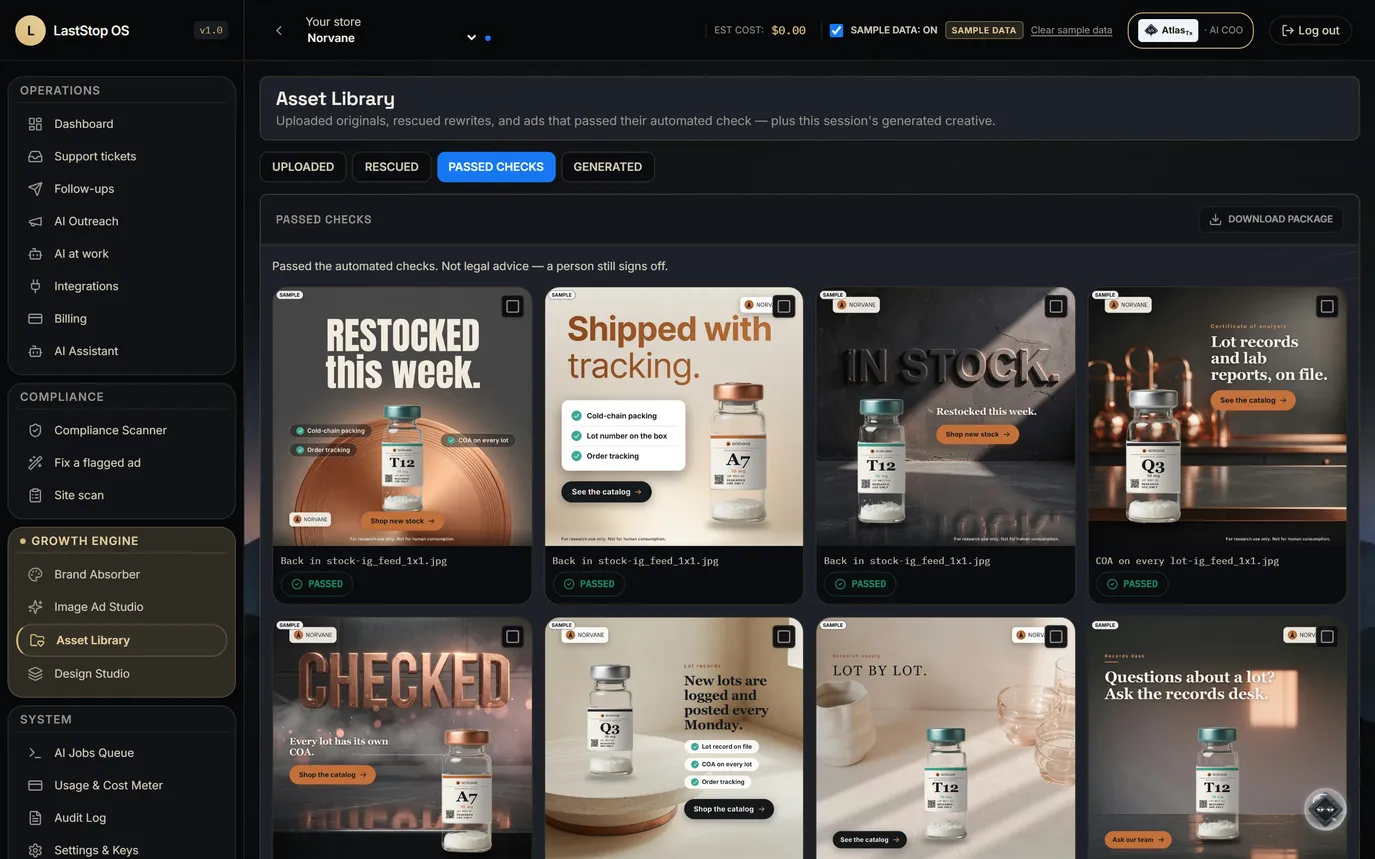
- Three shelves: uploads, ads rescued by a research-use rewrite, and ads that passed.
- Each ad keeps its status and its compliance verdict.
- Download a set as one package, ready for an agency or an ad account.
- Today the library lives in this browser session. A server-side library is not built yet.
Every ad that passed or was rescued, on one shelf, ready to download.
Outreach bots 1 · Cart recovery and back-in-stock
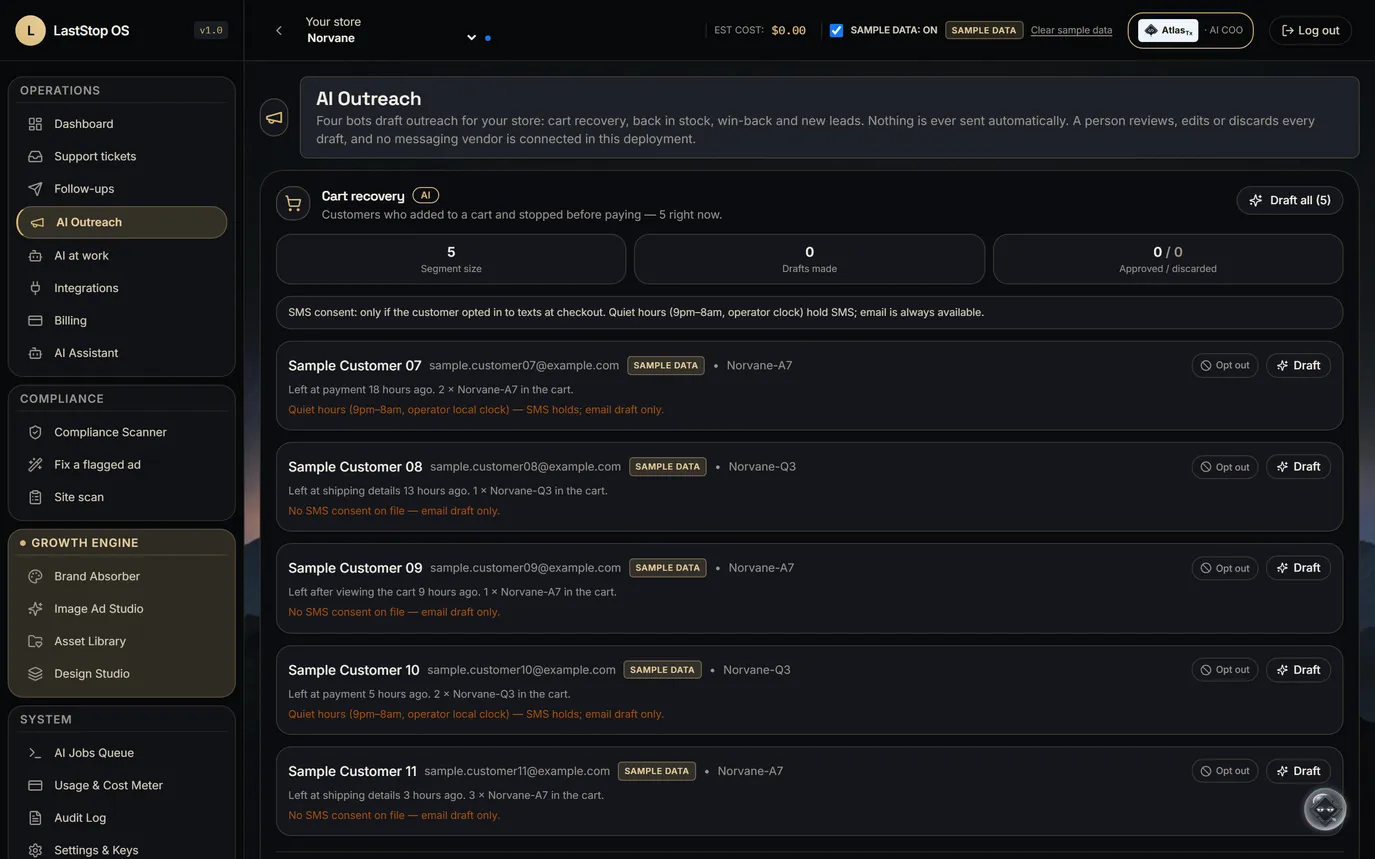
- The cart recovery bot drafts email and text for customers who left a cart, and respects consent and opt-out.
- The back-in-stock bot drafts notes for customers waiting on a sold-out product.
- No messaging provider is connected, so nothing is sent.
Left a cart, or waiting on a restock? A drafted note, within consent.
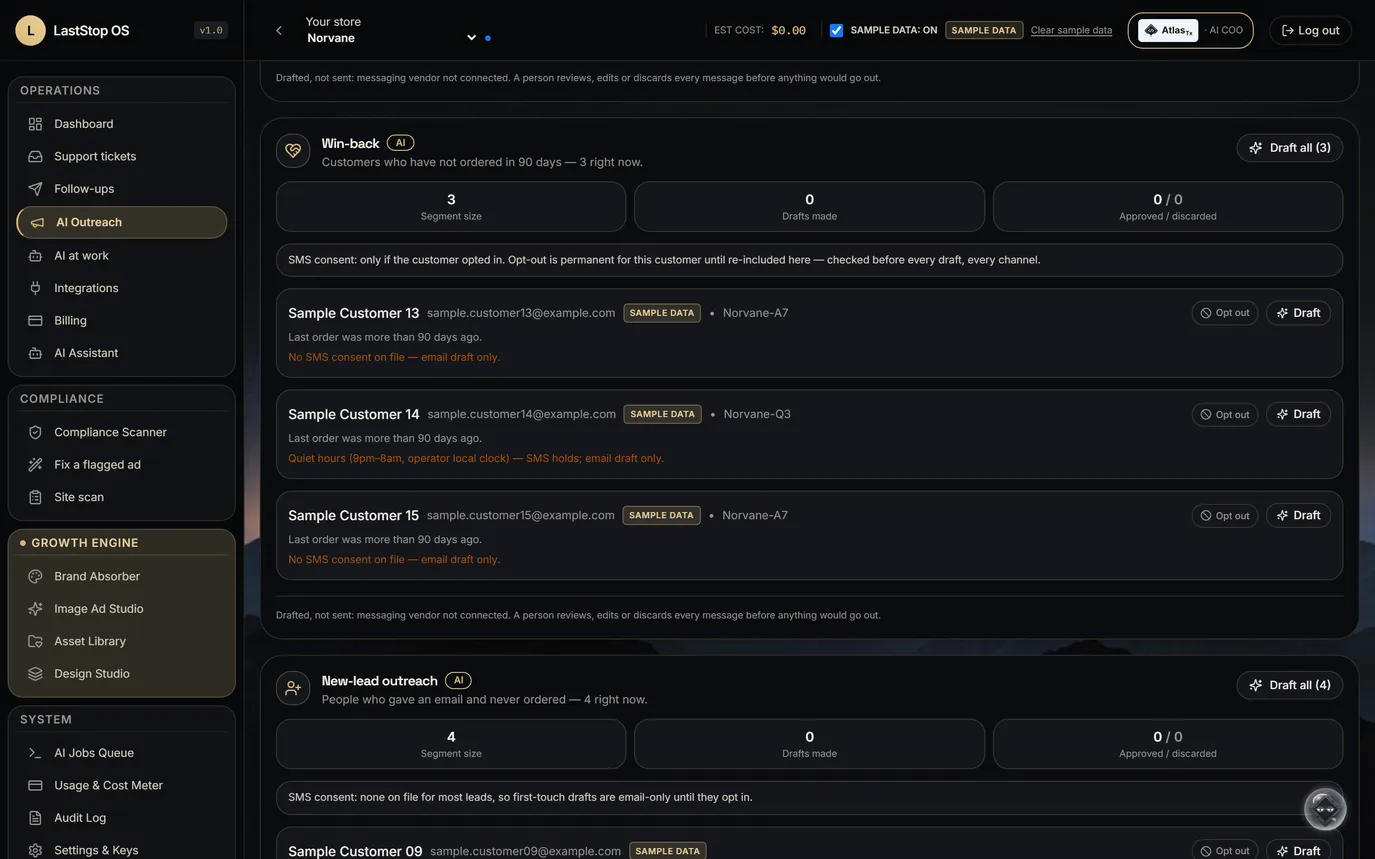
Outreach bots 2 · Win-back and new leads
- The win-back bot drafts notes for customers who haven't ordered in a while.
- The new-lead bot drafts a first touch for people who gave an email and never ordered.
- A person sets the offer and approves every send.
Customers who went quiet, and sign-ups who never ordered, each get a draft.
Compliance
Compliance: the section you don't skip
Two sample ads. One obvious, one with a single bad line. Both stopped.
- Behind the stamps: two made-up sample ads, each failed by the research-use rules.
- This section covers the scanner, the verdict, the research-use rewrite, the re-scan, the check with the AI unavailable, the explicit error, the site scan and the audit log.
- The rules check five things: compound names, benefit claims, dosing, "low-profile" wording, and the research-use line.
- No certification is claimed.
The scanner reads the whole ad
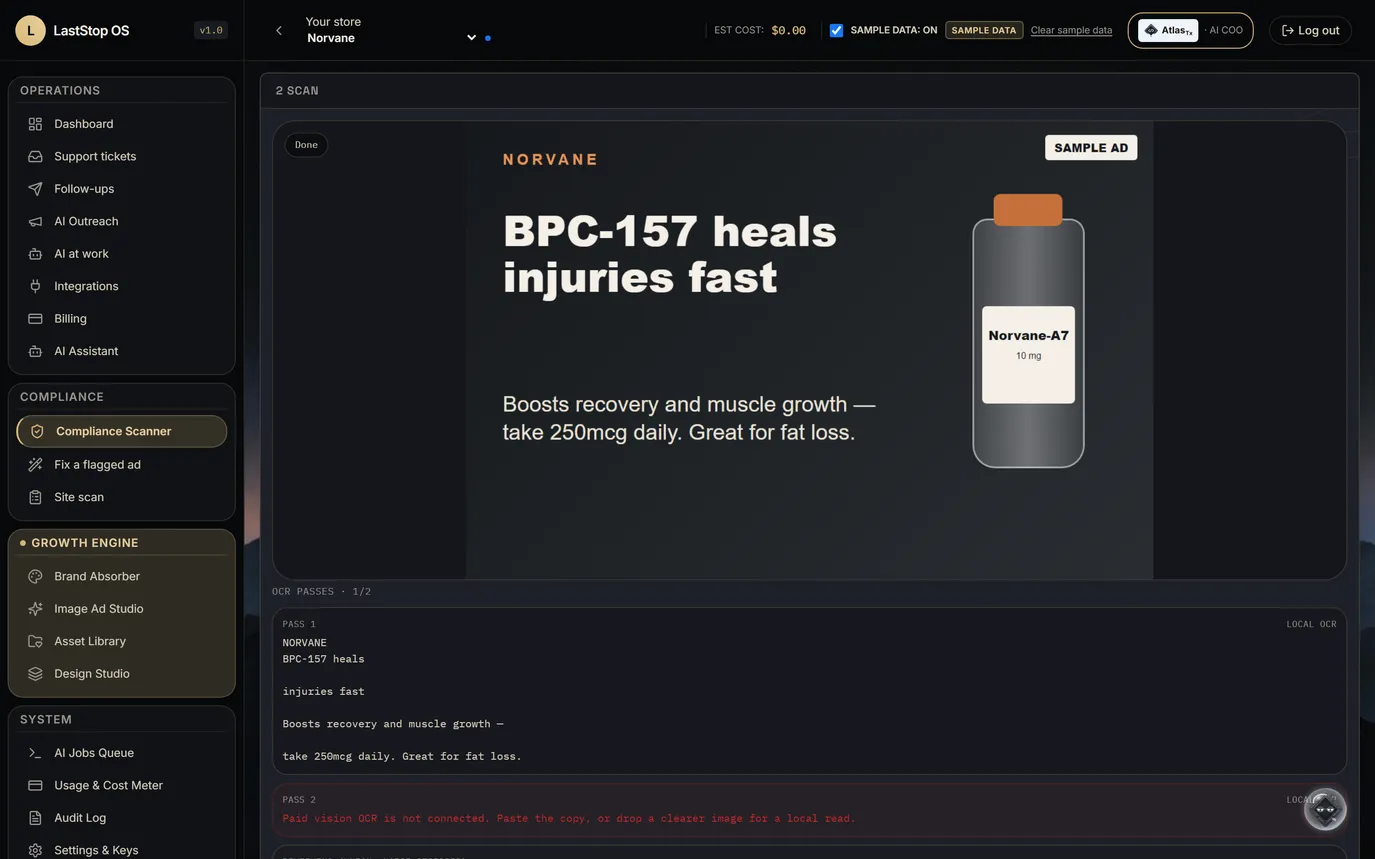
- The sample ad names a compound, promises a benefit and gives a daily dose, in the picture and in the caption.
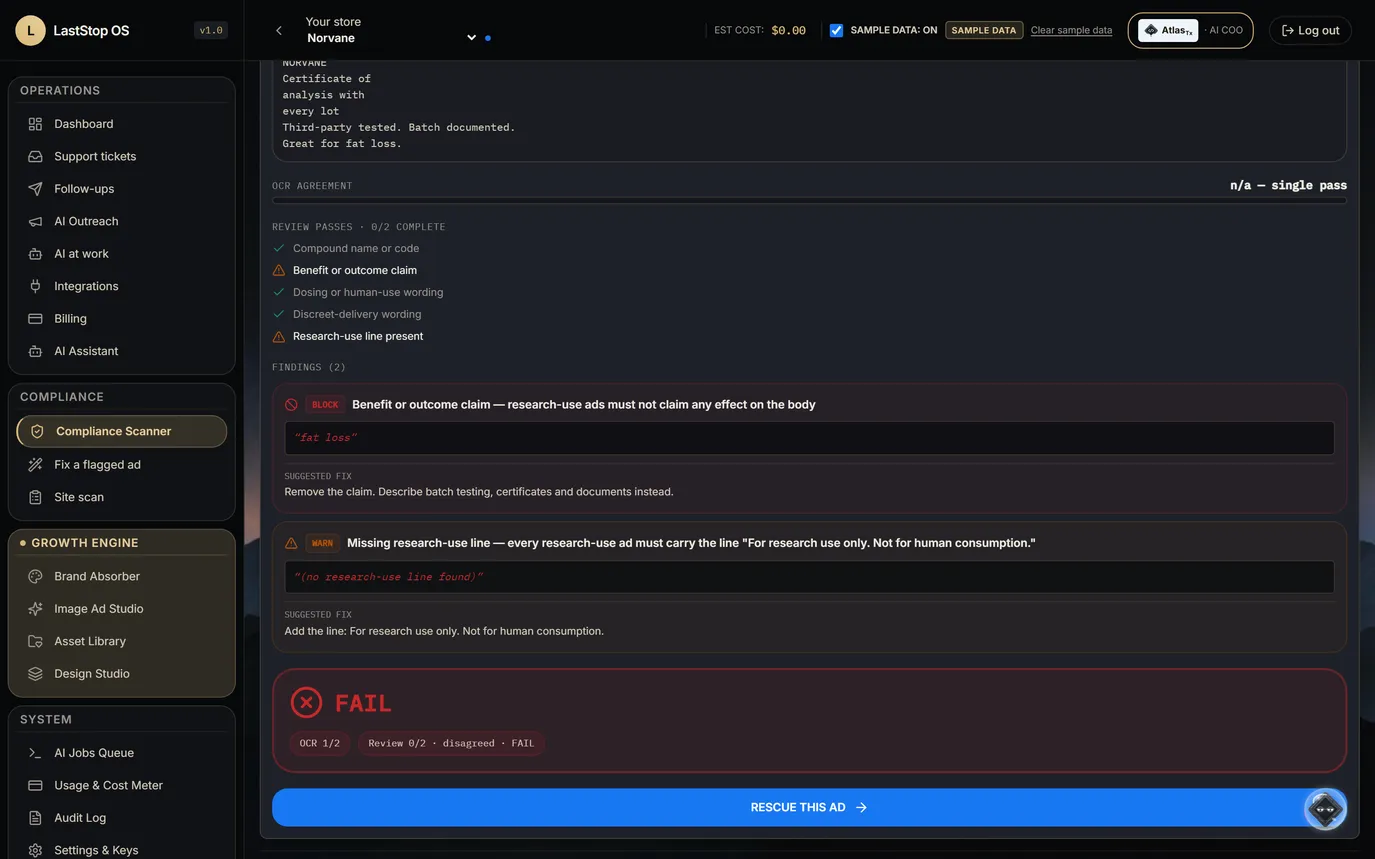
- The checklist is the research-use rule set: compound, benefit, dosing, low-profile, research-use line. Each is ticked or flagged from the real findings.
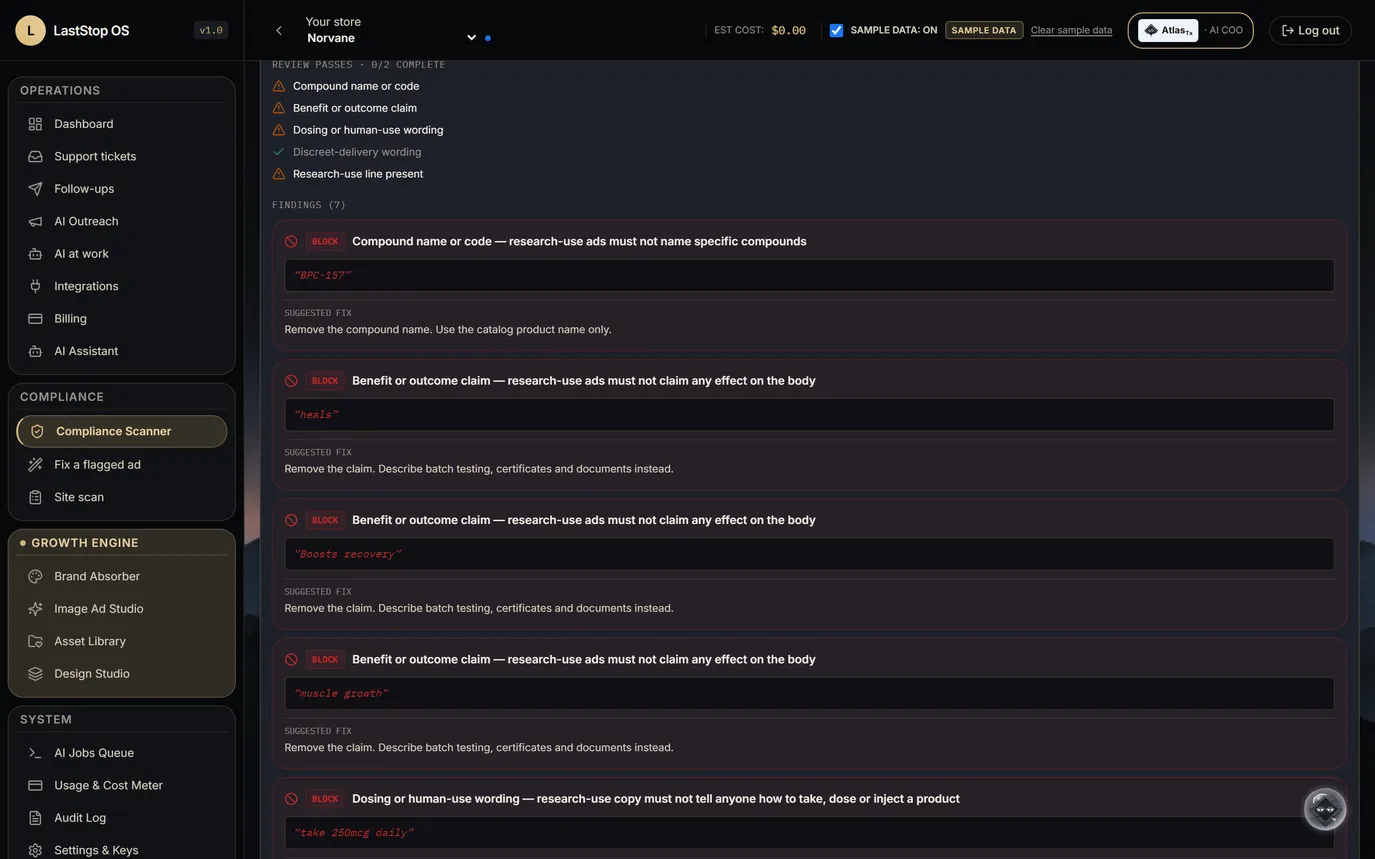
- Each finding names the rule and quotes the exact words.
- The rules decide. The AI reads the text in the image and cannot overrule a finding.
It reads the words in the picture too, and names the rule each one breaks.
The verdict
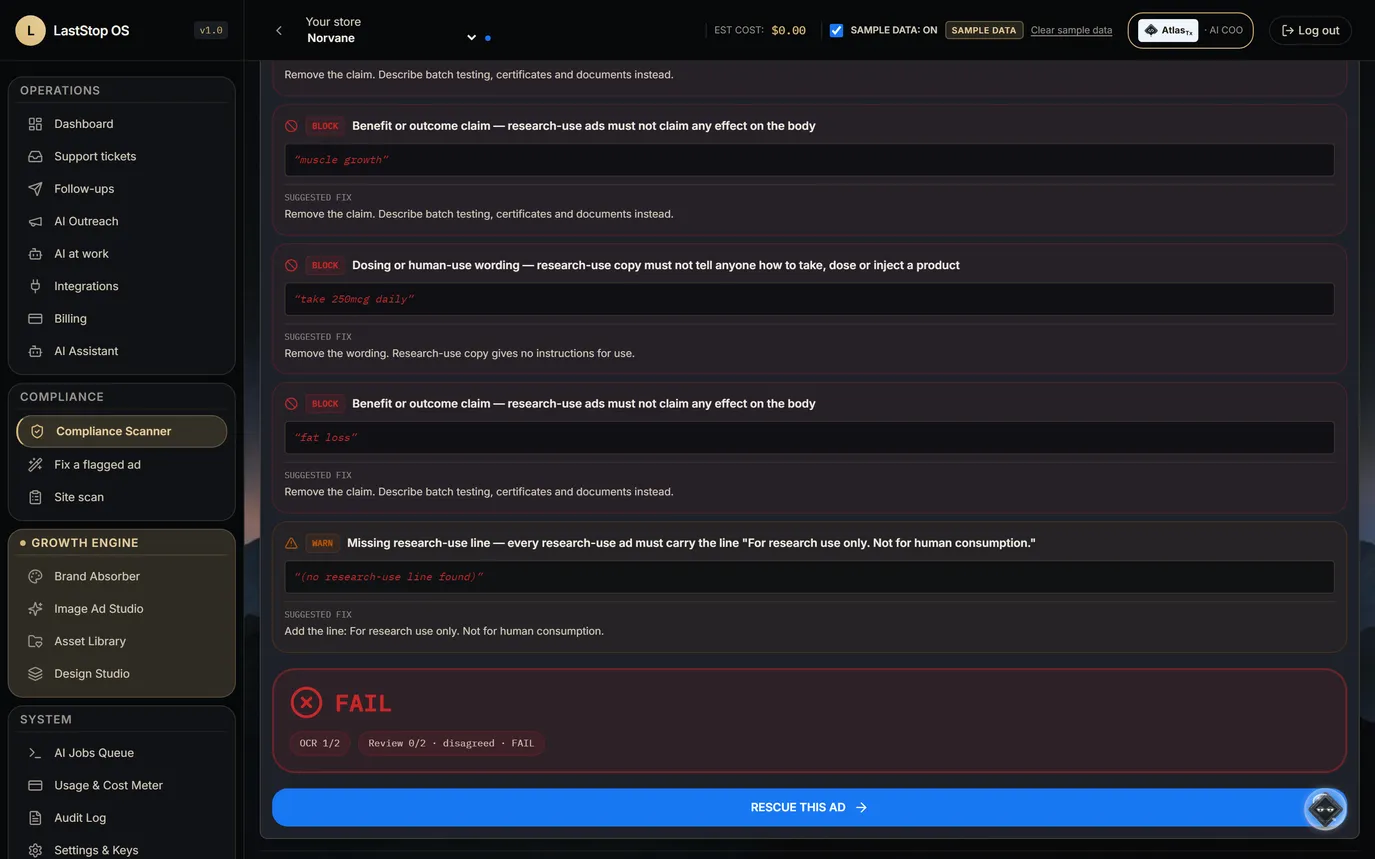
- Seven findings, six blocking and one warning, each with a research-use fix.
- Then FAIL, and a button to rescue the ad.
- The dosing line an earlier version of the scanner missed is caught here.
- A second review agreed: FAIL.
Seven findings, six blocking. FAIL, with a way out.
Fix a flagged ad
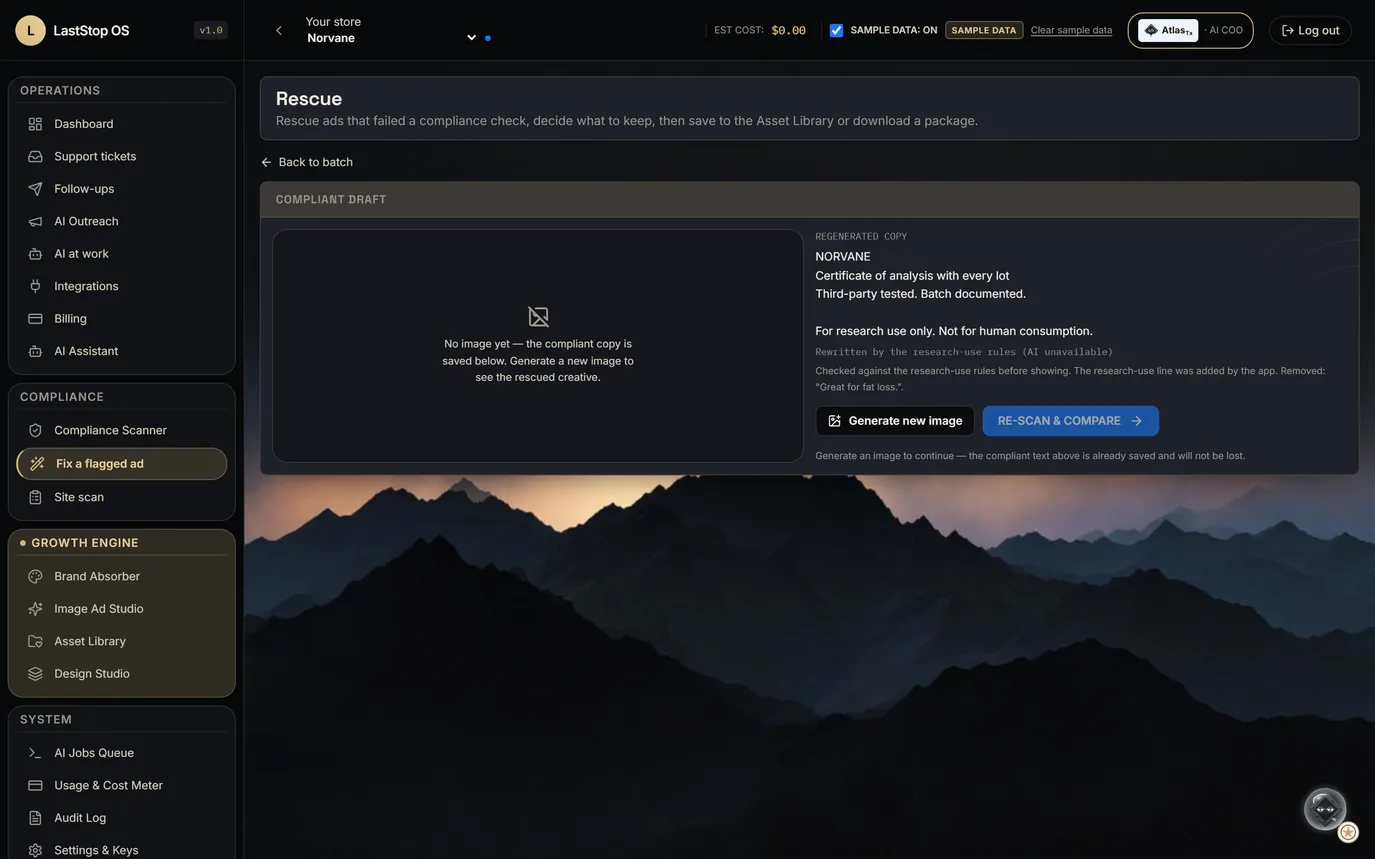
- Before: the failed ad and its findings. After: the rewrite of the same ad.
- No compound name, no benefit, no dosing. The app adds the research-use line itself.
- The note on screen: "Checked against the research-use rules before showing."
- A person decides whether to use it.
The same ad, rewritten to the research-use rules, and checked before you see it.
Re-scan: FAILED to PASSED
- The rescued ad is scanned again with the same rules: before FAILED, after PASSED.
- The rewrite is set onto a new background by code.
- The background in this capture is a labelled SAMPLE IMAGE stand-in, because the image generator was not called. The copy, its check and the verdict are real.
Before: FAILED. After: PASSED. Same scanner, same rules.
The check holds if the AI is down
- The same bad ad, with the AI service switched off for this test: the research-use check still fails it.
- The check keeps working if the AI service is down.
- This is shown to prove the point. It is not the normal running state.
If the AI service is down, the bad ad still fails.
When nothing safe is left, it says so
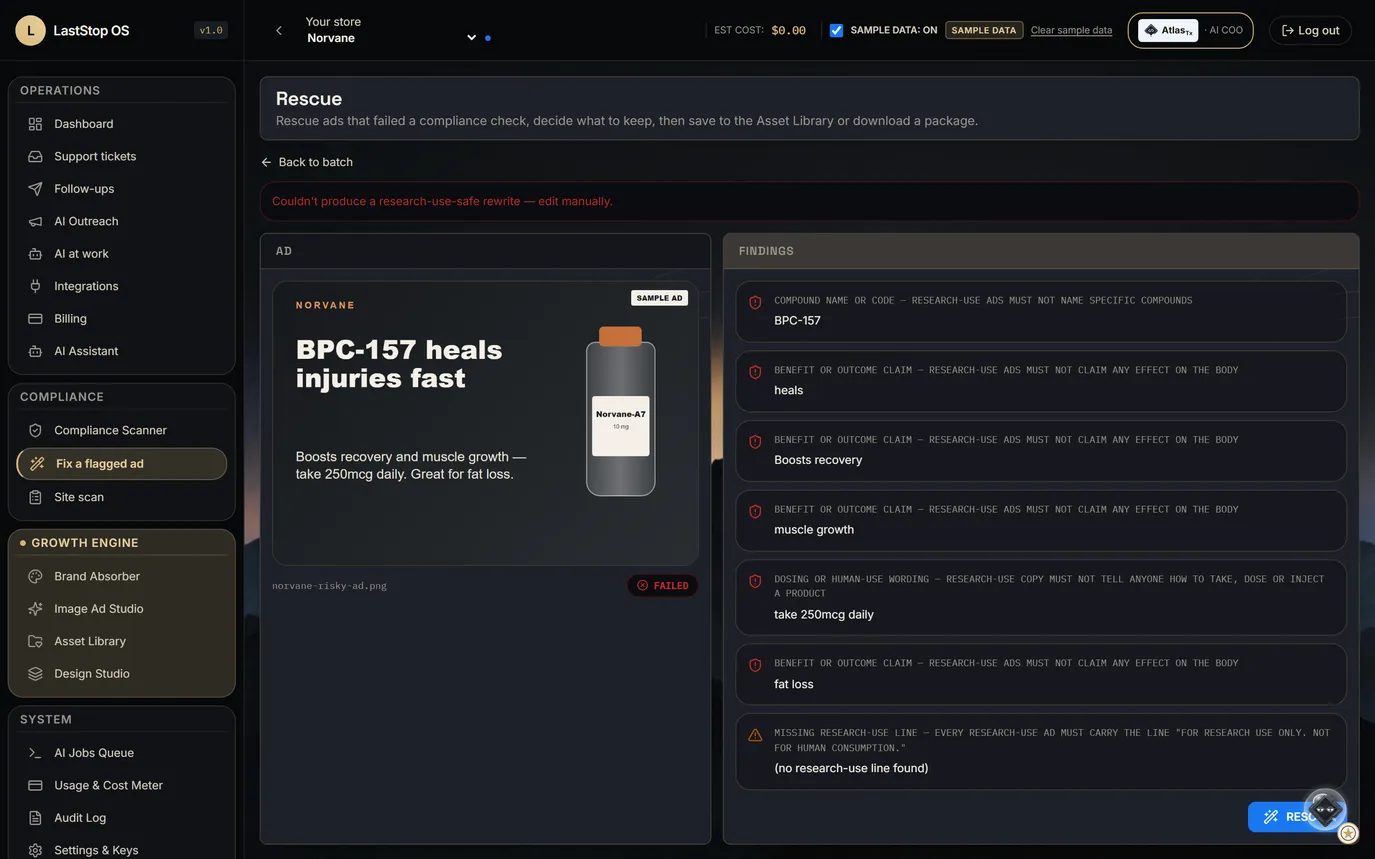
- With the AI unavailable and nothing safe left in the ad, the answer is: "Couldn't produce a research-use-safe rewrite — edit manually."
- No fixed-up result is shown. A weak ad shown as finished would teach the operator the tool is weak.
No safe rewrite? You get an error, not a watered-down ad.
One bad line, removed by the rules
- A second sample ad with one bad line (a weight-loss claim): two findings, FAIL.
- Its rewrite while the AI is unavailable: the rules remove the bad clause, keep and join the good lines, and the app adds the research-use line.
- Labelled on screen: "Rewritten by the research-use rules (AI unavailable)".
One bad line out, the good lines kept, the research-use line added.
Site scan
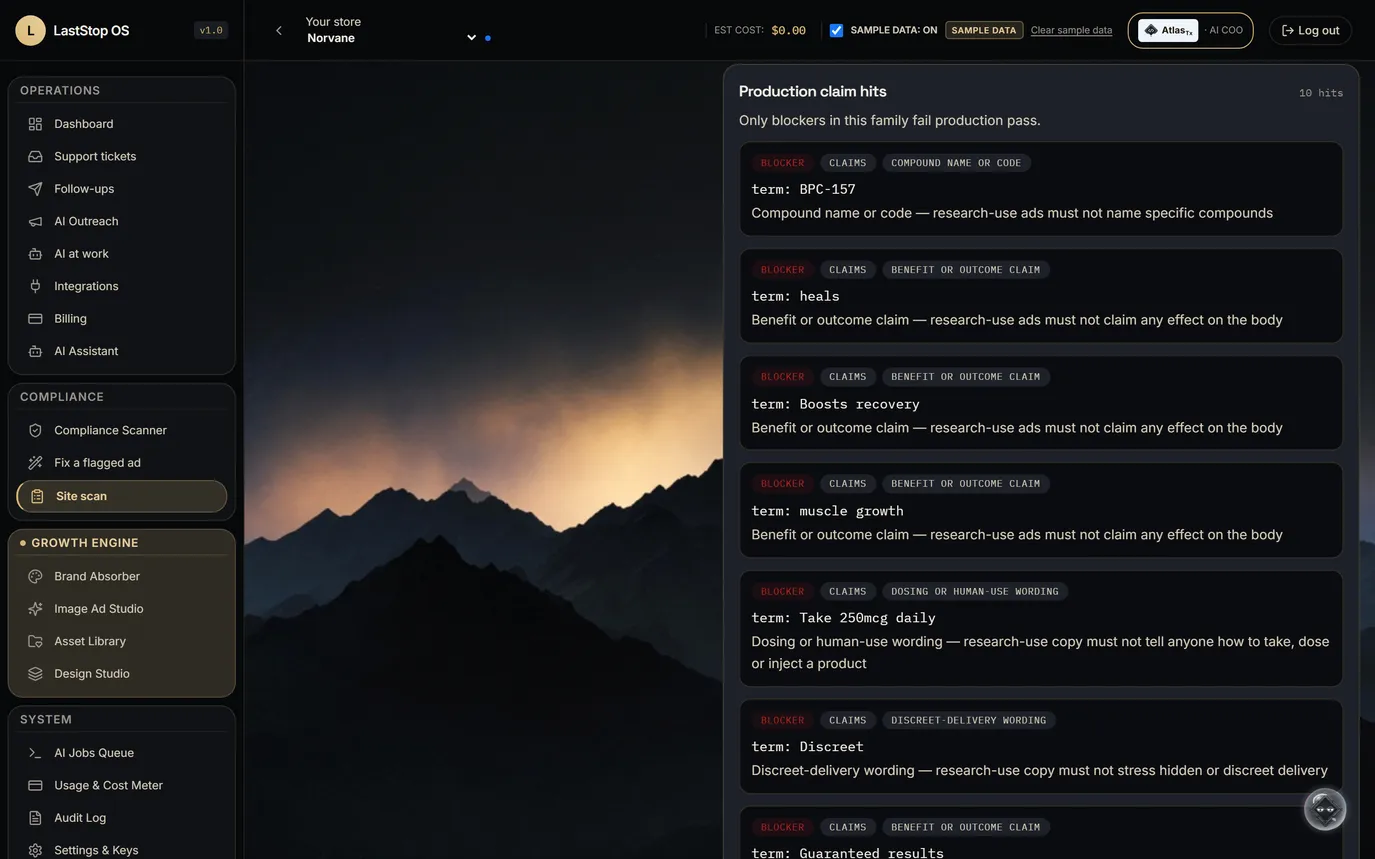
- Site scan of a made-up sample product page: production Fail.
- Nine blockers named by rule (compound, benefit, dosing, low-profile), plus a warning for the missing research-use line.
- The same rules as the ad scanner, so a page and an ad are held to one standard.
Paste a product page. Every blocker named by rule.
A clean page passes
- A clean sample page, with a certificate of analysis and the research-use line: production pass.
- Passing is a rules result, not a certification.
A page with its COA and the research-use line passes.
Every run, in the audit log
- Each row: who ran it, the module, the verdict, the rules hit and a short quote of the words.
- A refused rewrite is logged like any other run.
- It is the evidence to show when a payment processor or ad platform reviews the store.
Every scan, rewrite and site scan leaves a row: who, what, verdict, rule.
Jobs and money saved
What it takes off the payroll
4.0 FTE of store work covered at about 500 orders a month.
| Role | FTE | BLS median | Monthly | Annual | Loaded | Basis |
|---|---|---|---|---|---|---|
Operations coordinator (order exceptions)AtlasTx · SOC 43-5061 | −0.5 | $59,650 | $2,500 | $29,825 | $42,610 | After store connection |
Customer service representativeAtlasTx · SOC 43-4051 | −0.5 | $44,770 | $1,850 | $22,385 | $31,980 | After store connection |
Brand and identity designerGrowth Engine · SOC 27-1024 | −0.5 | $62,960 | $2,600 | $31,480 | $44,980 | Built today |
Ad designer (production)Growth Engine · SOC 27-1024 | −0.5 | $62,960 | $2,600 | $31,480 | $44,980 | Built today |
CopywriterGrowth Engine · SOC 27-3043 | −0.5 | $76,910 | $3,200 | $38,455 | $54,940 | Built today |
Retention and lifecycle marketerGrowth Engine · SOC 13-1161 | −0.5 | $78,760 | $3,300 | $39,380 | $56,260 | After store connection |
Research-use claims reviewerClaimRight / Compliance · SOC 13-1041 | −0.5 | $80,730 | $3,350 | $40,365 | $57,670 | Built today |
Compliance manager (store-wide checks)ClaimRight / Compliance · SOC 13-1041 | −0.5 | $80,730 | $3,350 | $40,365 | $57,670 | Built today |
BLS Occupational Employment and Wage Statistics, May 2025 national medians (bls.gov/oes). Fully loaded uses the BLS Employer Costs for Employee Compensation ratio, $46.89 ÷ $32.82 = ×1.43 (bls.gov ECEC).
Next: the suit of armor for your store
- Built: AtlasTx, the Growth Engine and the research-use compliance flows shown here, on labelled SAMPLE data.
- In the build plan: the WooCommerce/Shopify connector; orders, customers and catalog screens; ad-account hand-off (export first, direct push later); a partner portal for affiliates; per-channel reporting; the social content engine.
- Not claimed: orders, customers, revenue or certifications.
Keep your WooCommerce or Shopify store. Add the AI COO, the ad studio and the compliance desk on top.