SeeMyVitals08 / 47
Pillar · the framework
LastStop, the framework
One platform, many practices, each with its own brand.
- The framework: intake, cases, both clinical setups, the pharmacy, the patient portal, billing, audit and integrations.
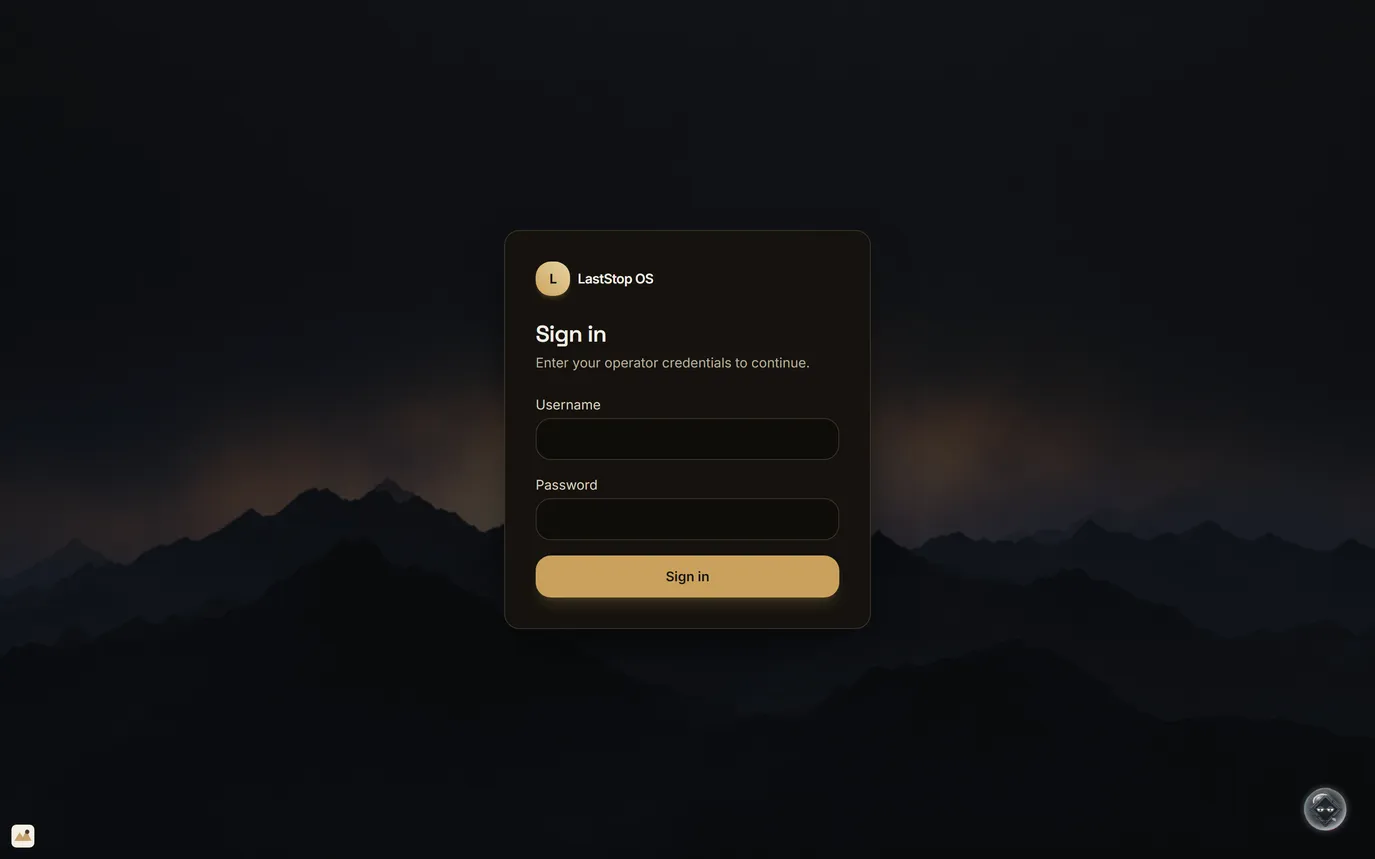
- Staff sign in first, then choose the practice, so one platform can run several practices.
- Each practice gets its own brand kit and separated data. The separation is built in the engine, which is not hosted yet.
- The demo signs in with shared preview logins. Per-staff accounts, roles and MFA are built in the engine and get wired in before launch.
Intake to portalPractice chosen after sign-inSeparate data per practice
Prescription telemedicine · LastStop OS · sample data08 / 47
SeeMyVitals09 / 47
09LastStop
Patient intake
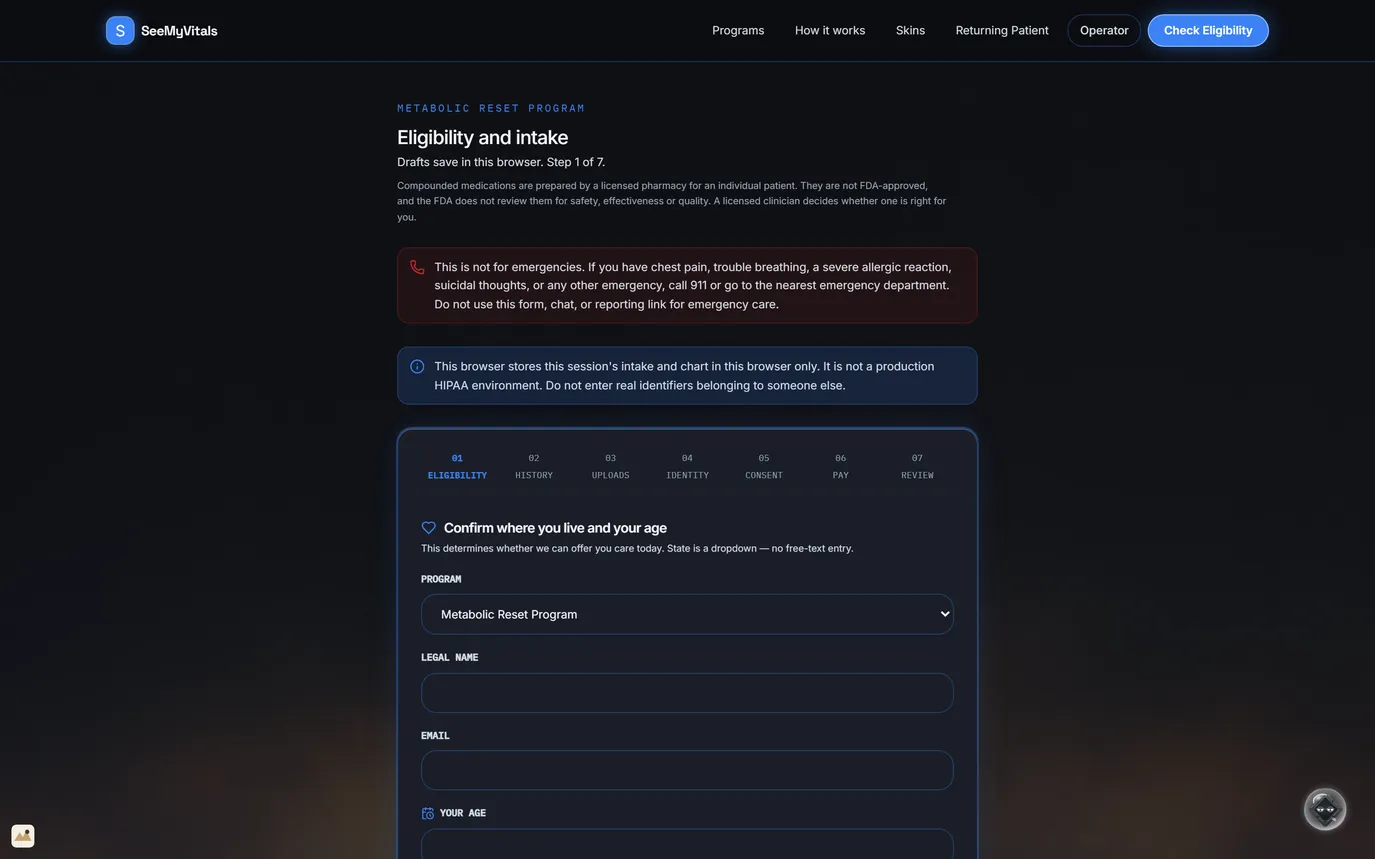
7 stepsLicensure follows locationDisclosure at the top
- Seven steps: eligibility, history, uploads, identity, consent, payment, review.
- Step 1 checks the program, age, state of residence and physical location at the time of the visit. Licensure follows the physical location, not the billing address.
- State is a dropdown, not free text.
- The compounded-medication disclosure sits at the top of the form.
- The fields are empty in this capture; test runs use fictional values. Staff review IDs by hand until an identity vendor is connected.
Eligibility is settled on the form, before a clinician opens the case.
Prescription telemedicine · LastStop OS · sample data09 / 47
SeeMyVitals10 / 47
10LastStop
The case queue
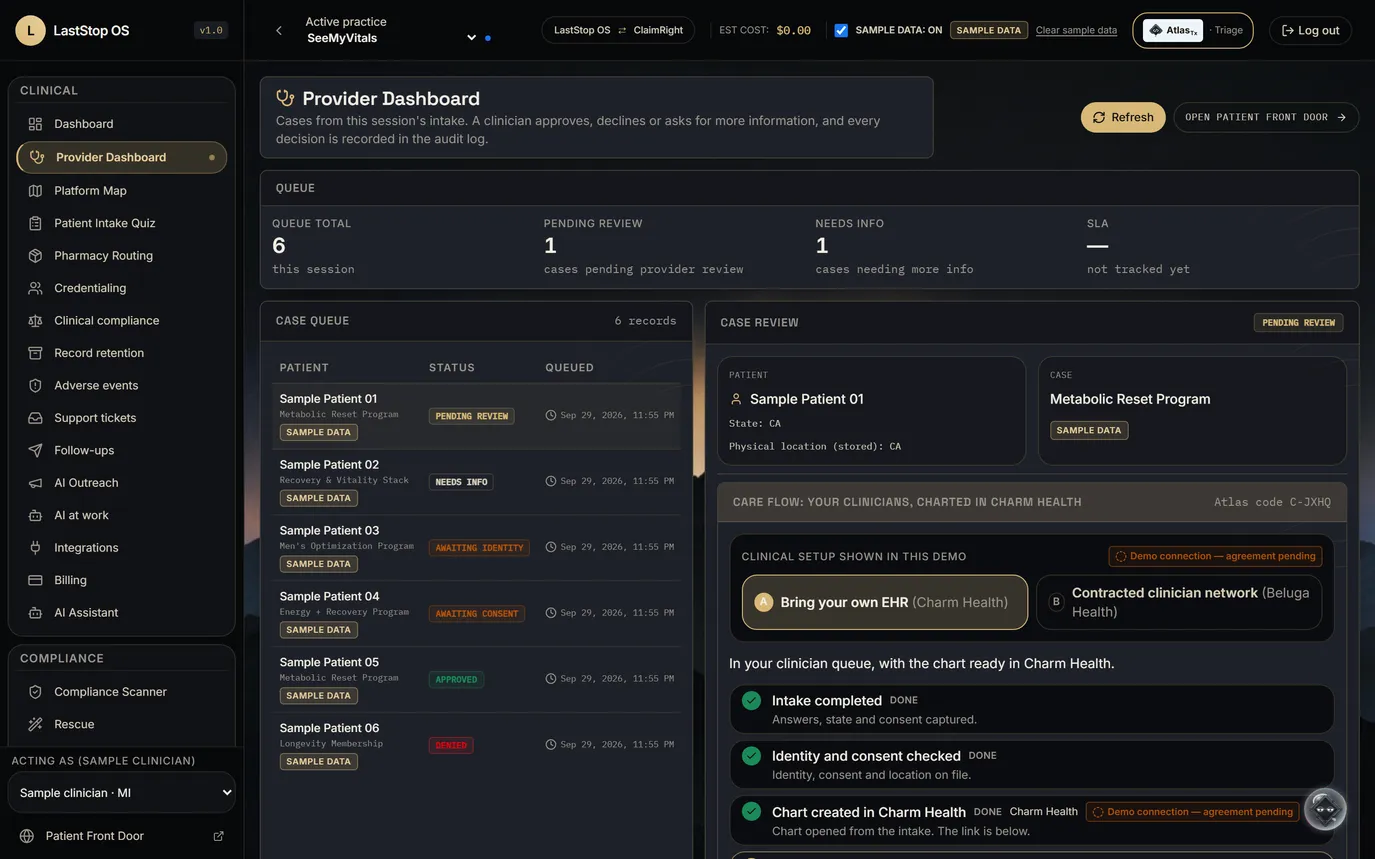
Six case statesPre-chart draftedThe clinician decides
- Six sample cases: pending review, needs info, awaiting identity, awaiting consent, approved, denied.
- A rules pre-chart summarises program, flags, hard stops and payment type from a fixed template.
- An AI pre-chart drafts a plain-English summary, watch-outs and visit questions from a de-identified case summary.
- The care-flow panel shows which clinical setup the practice runs.
- A licensed clinician approves, declines or asks for more information; each decision goes to the audit log.
Every finished intake arrives as a case a clinician can act on.
Prescription telemedicine · LastStop OS · sample data10 / 47
SeeMyVitals11 / 47
11LastStop
AI at work
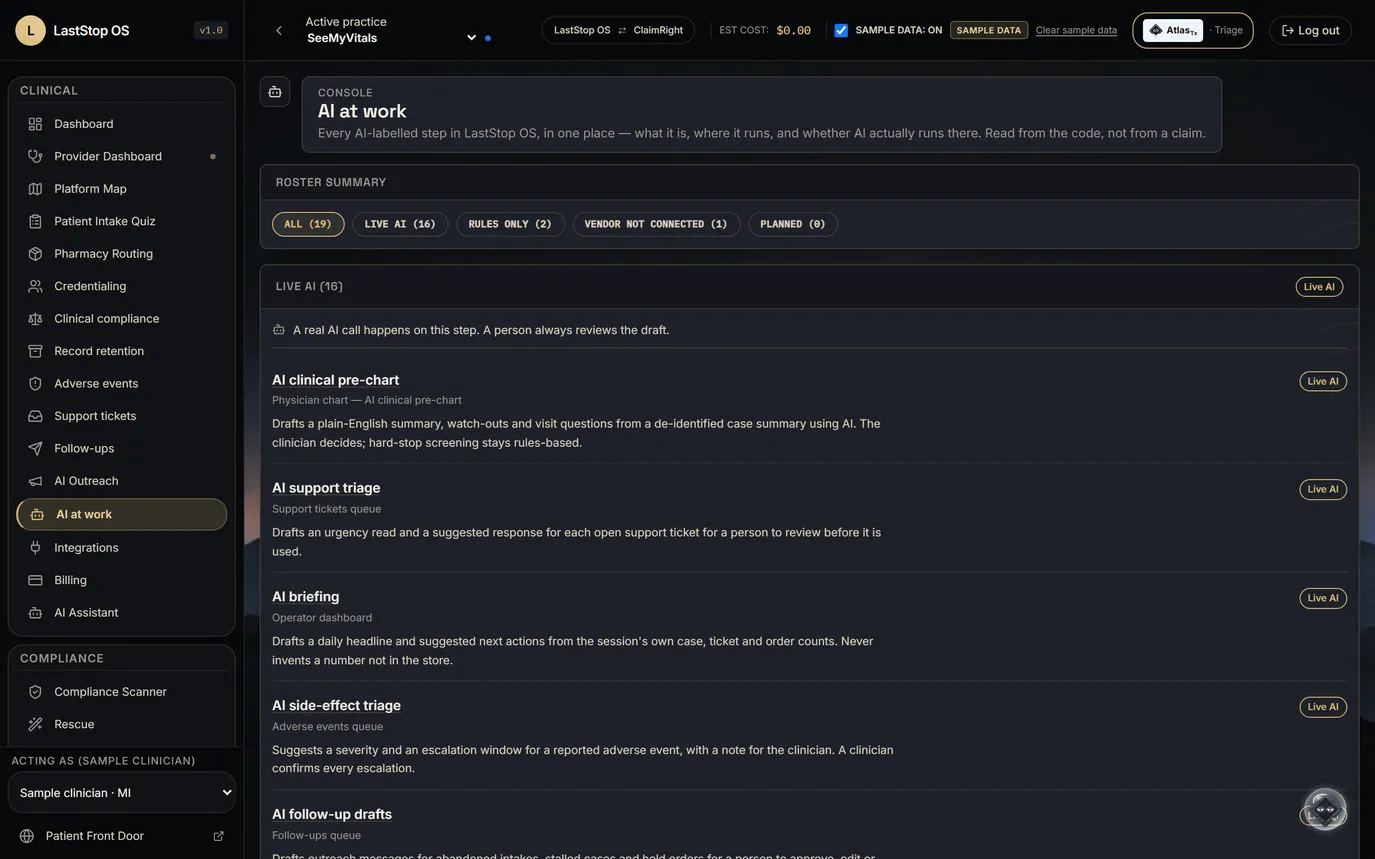
19 steps16 AI features · 1 waiting on a vendorNone sends, spends or prescribes
- The list is generated from the code, not written by hand. It is the same list behind the AI badges on each screen.
- Each step shows where it runs and what it does.
- AI steps draft, sort or explain. None sends, spends or prescribes.
- AI calls carry de-identified summaries or record codes, never a patient's name.
Every AI step in the product, listed from the code.
Prescription telemedicine · LastStop OS · sample data11 / 47