LastStop
ClaimRight / Compliance
SeeMyVitals01 / 10
Pillar · the framework
Patient Experience, run on LastStop
What the patient sees, from the front door to the refill.
- SeeMyVitals is a telehealth practice brand shown on LastStop. The wordmark and palette are a placeholder made for this demo.
- Nine screens a patient meets: the front door, the program page, intake, the treatment dashboard, prescriptions, messages, billing, the phone, and the skins.
- Every screen is from a local demo build with one labelled sample patient. No patients, orders, revenue or certifications are claimed.
- Where a vendor is not connected, the page says so. Nothing is filled in to look finished.
The patient side of SeeMyVitalsSAMPLE data throughoutNothing live with patients
Patient experience · LastStop OS · sample data01 / 10
The platform
SeeMyVitals02 / 10
02LastStop
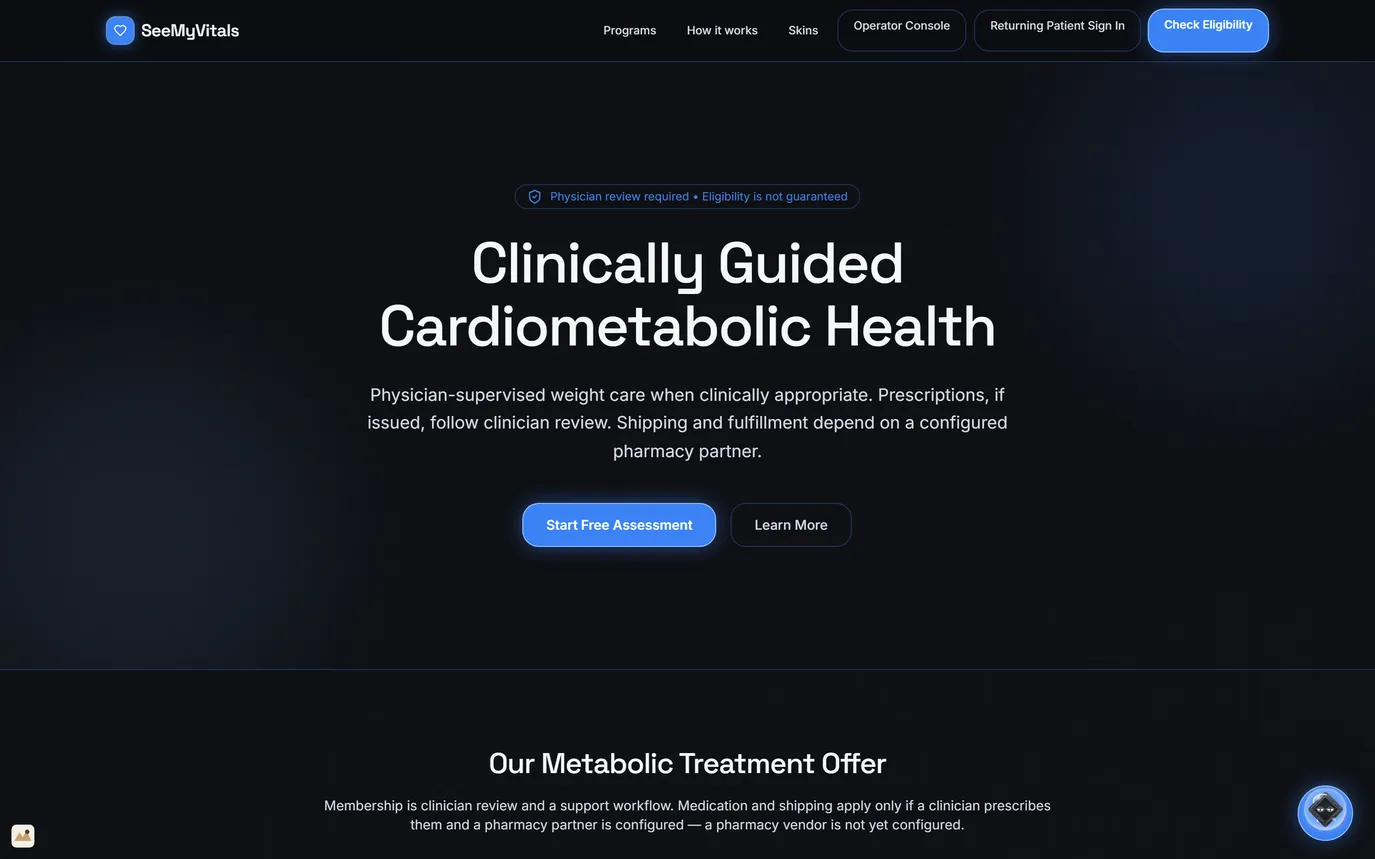
The front door
Physician review required, stated firstOne button: Start Free AssessmentPharmacy not configured, said plainly
- The badge above the headline: physician review required, eligibility not guaranteed.
- Prescriptions, if issued, follow clinician review. Shipping depends on a configured pharmacy partner.
- The offer below says membership is clinician review and support; medication and shipping apply only if a clinician prescribes.
- Returning patients sign in from the top bar. In the demo, the same bar links to the operator console.
The first line a patient reads: a clinician decides, and eligibility is not guaranteed.
Patient experience · LastStop OS · sample data02 / 10
SeeMyVitals04 / 10
04LastStop
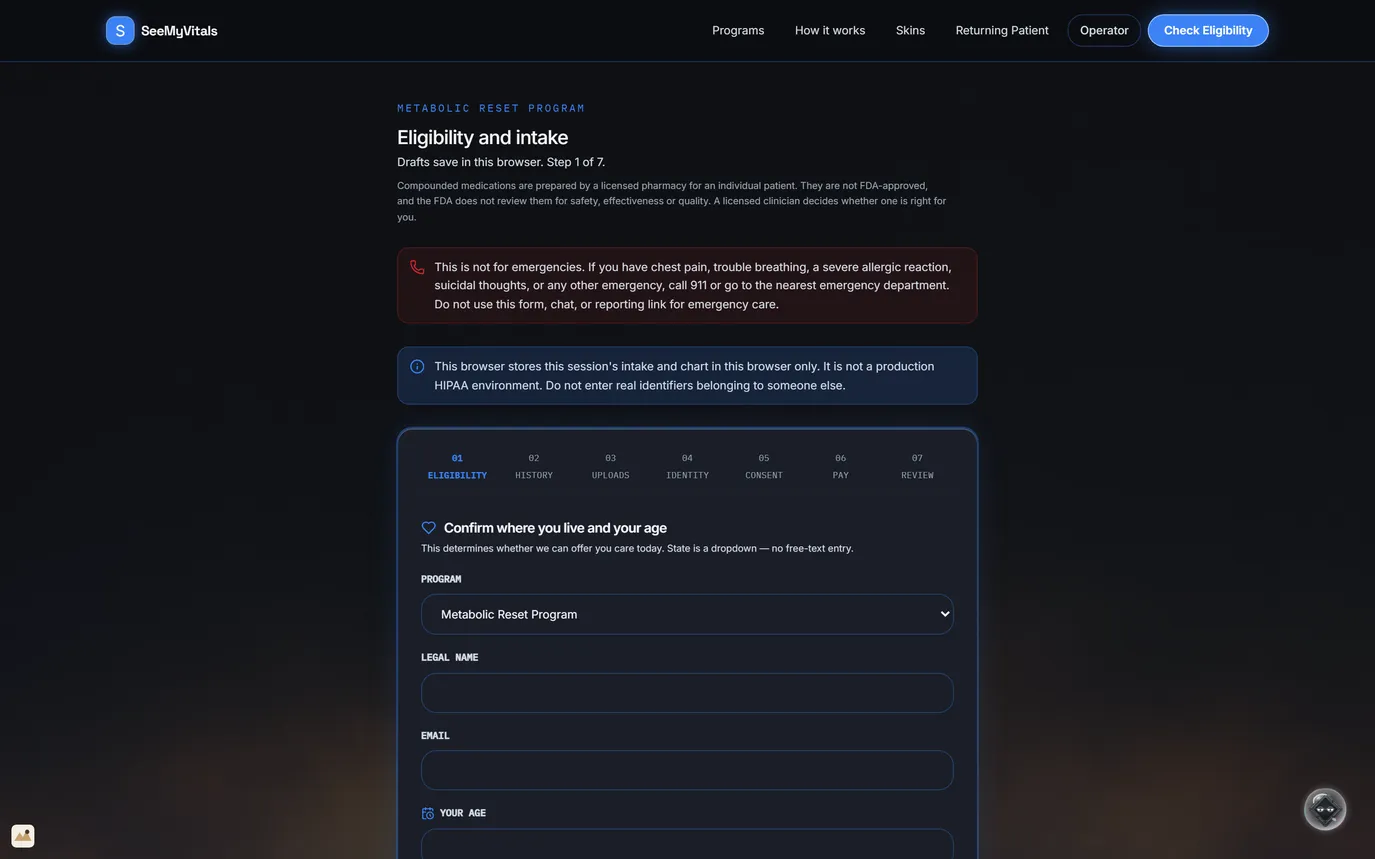
Eligibility and intake
7 steps, drafts savedEmergency notice before the formState is a dropdown
- Eligibility, history, uploads, identity, consent, payment, review.
- Step 1 confirms the program, where the patient lives and their age. State is a dropdown, not free text.
- Before any field: this is not for emergencies; call 911 or go to the nearest emergency department.
- The compounded-medication disclosure opens the form.
- The demo keeps the intake in this browser and says so: it is not a production HIPAA environment.
Seven steps, and the first one asks where the patient lives.
Patient experience · LastStop OS · sample data04 / 10
SeeMyVitals06 / 10
06LastStop
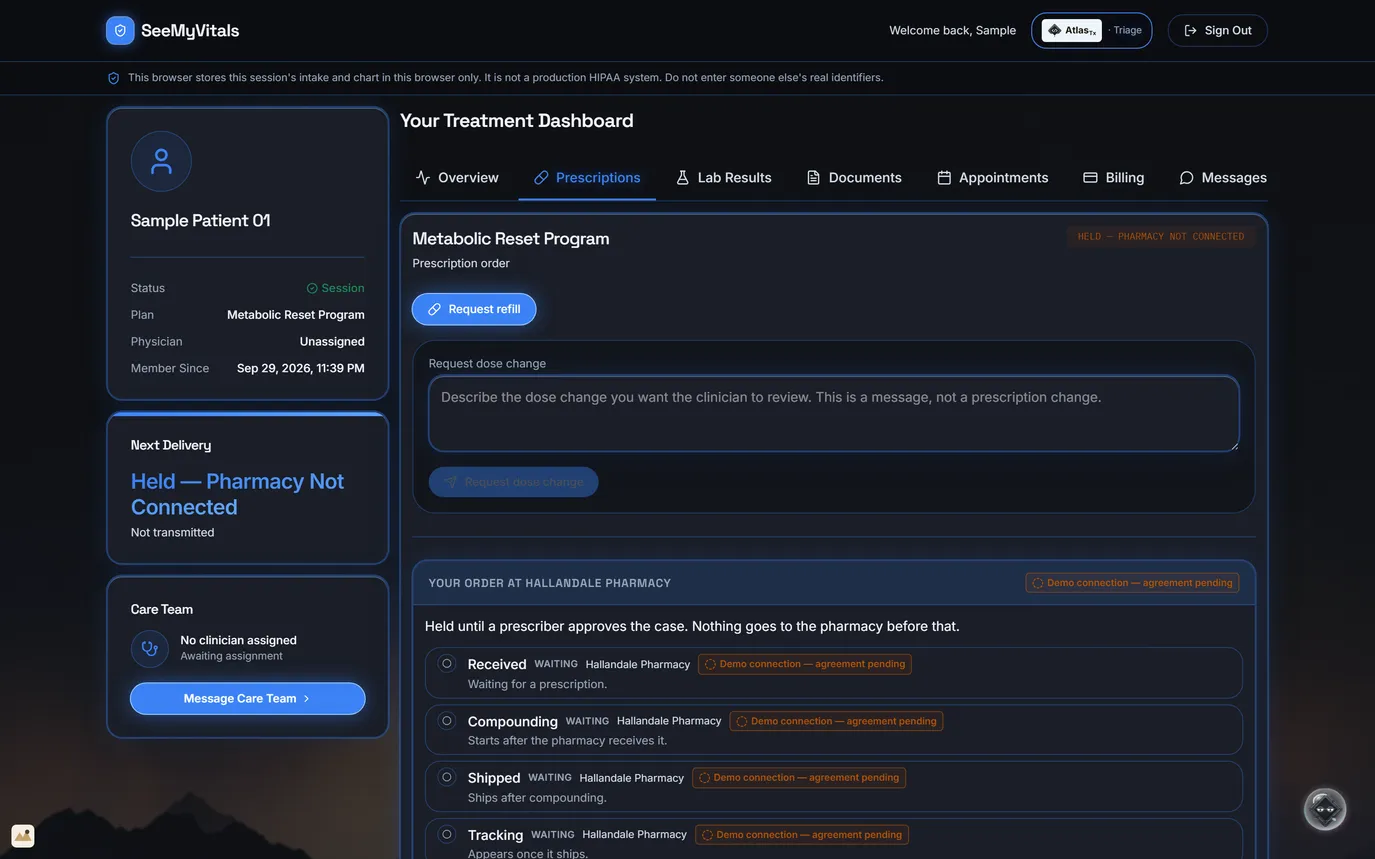
Prescriptions and refills
Four pharmacy steps, all waitingRequest refillA dose change is a message, not an order
- The order is held until a prescriber approves the case. The page says so above the steps.
- Received, compounding, shipped and tracking each show their state. All four wait, because there is no prescription yet.
- Hallandale Pharmacy is a demo connection: no agreement is signed and nothing is sent.
- A dose-change request goes to the clinician as a message. It never edits the prescription.
Nothing goes to the pharmacy before a prescriber approves.
Patient experience · LastStop OS · sample data06 / 10
SeeMyVitals07 / 10
07LastStop
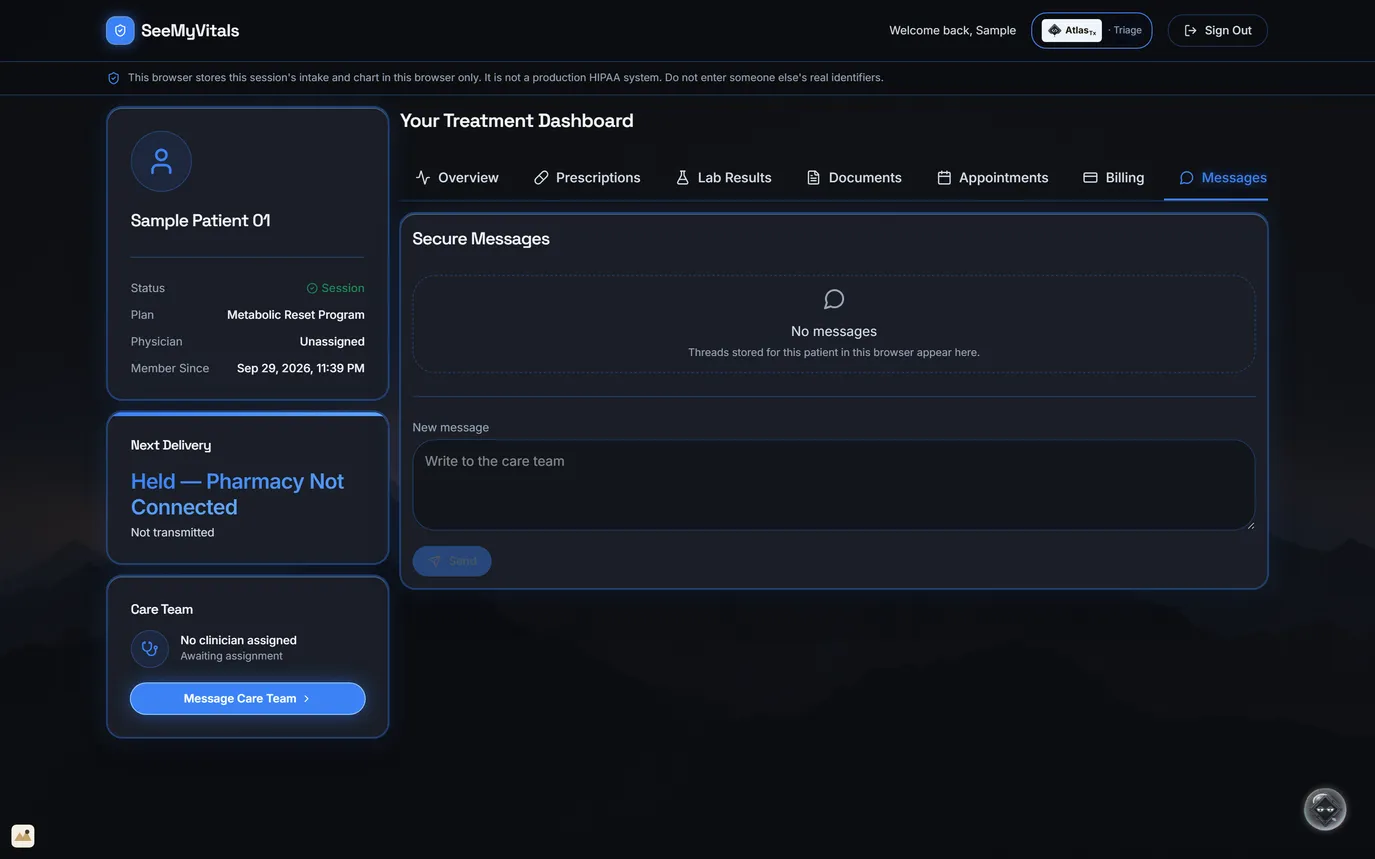
Secure messages
Write to the care teamEmpty until the patient writesServer messaging built in the engine
- This sample patient has not written yet, so the page shows an empty thread, not a made-up one.
- A new message goes to the care team. Clinical questions go to a clinician.
- In the demo, threads are kept in this browser; server-side messaging is built in the engine.
- Message Care Team sits on every tab of the dashboard.
One thread to the care team, not a shared inbox.
Patient experience · LastStop OS · sample data07 / 10
SeeMyVitals08 / 10
08LastStop
Billing, stated plainly
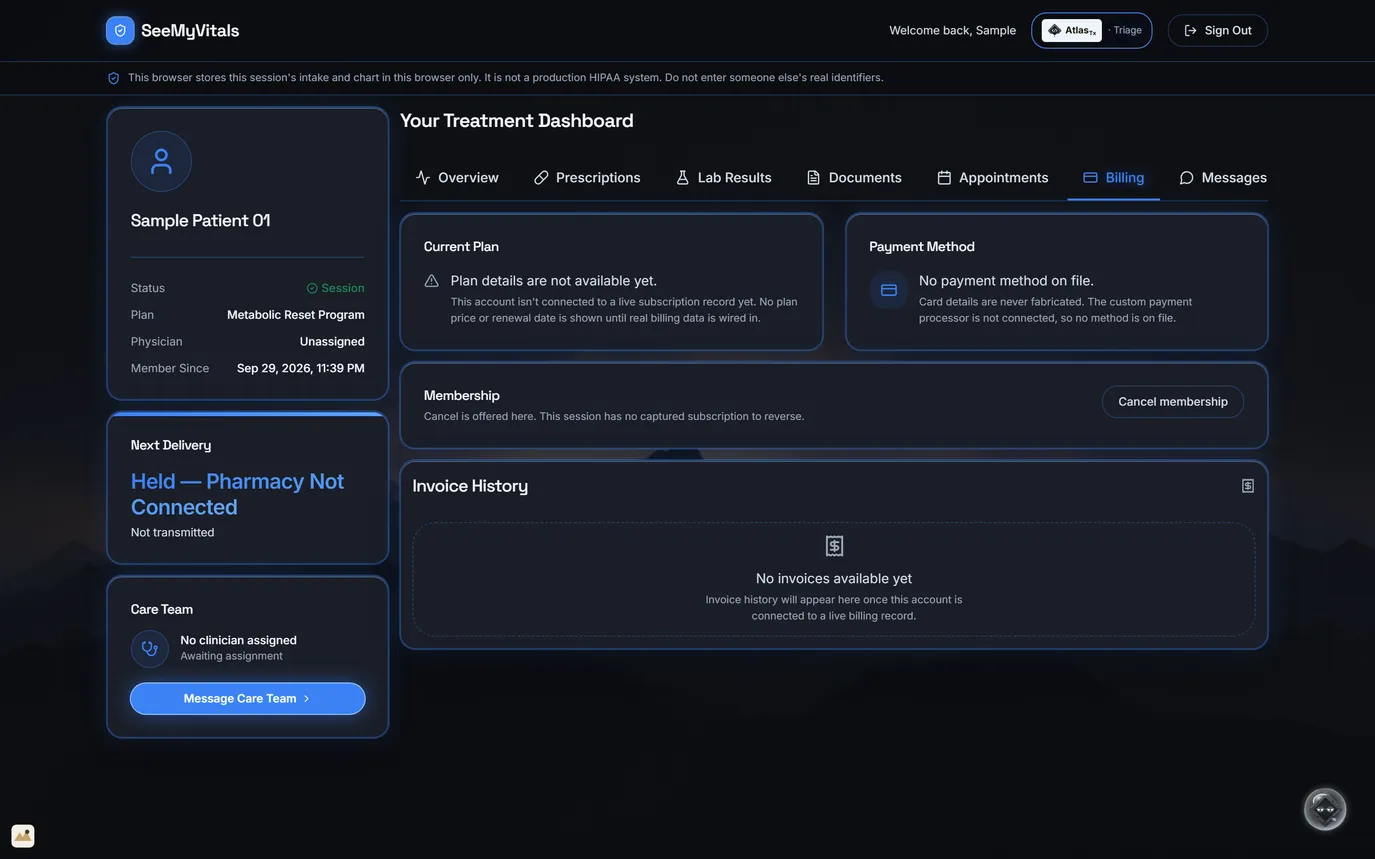
No payment method on fileCancel offered in the portalProcessor not contracted
- Plan price and renewal date stay blank until real billing data is wired in.
- Card details are never made up. The custom payment processor is not connected.
- Cancel is offered here; this session has no subscription to reverse.
- Invoice history appears once the account is connected to a live billing record.
No processor connected, so no price, card or invoice is shown.
Patient experience · LastStop OS · sample data08 / 10
SeeMyVitals09 / 10
09LastStop
On a phone
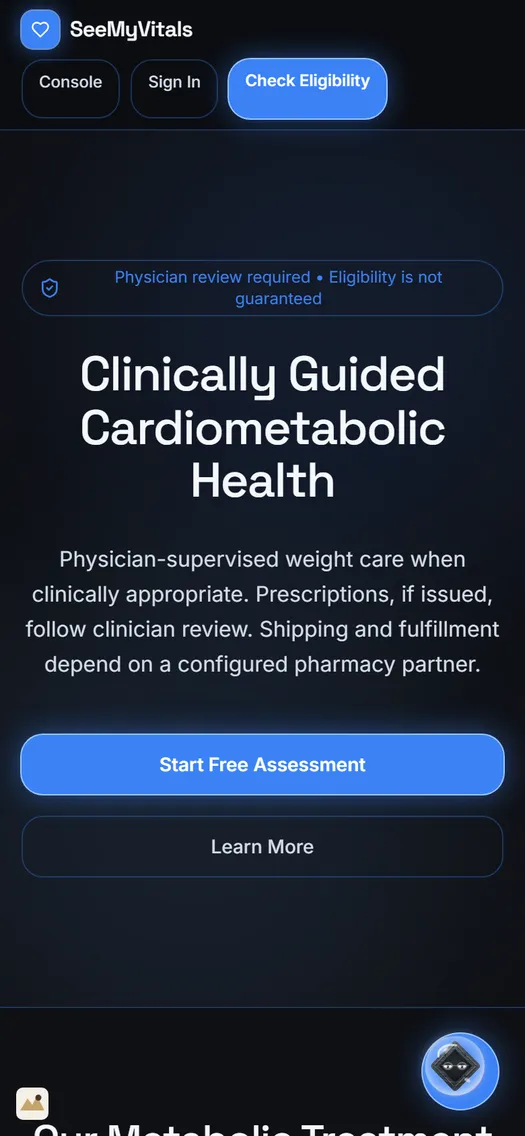
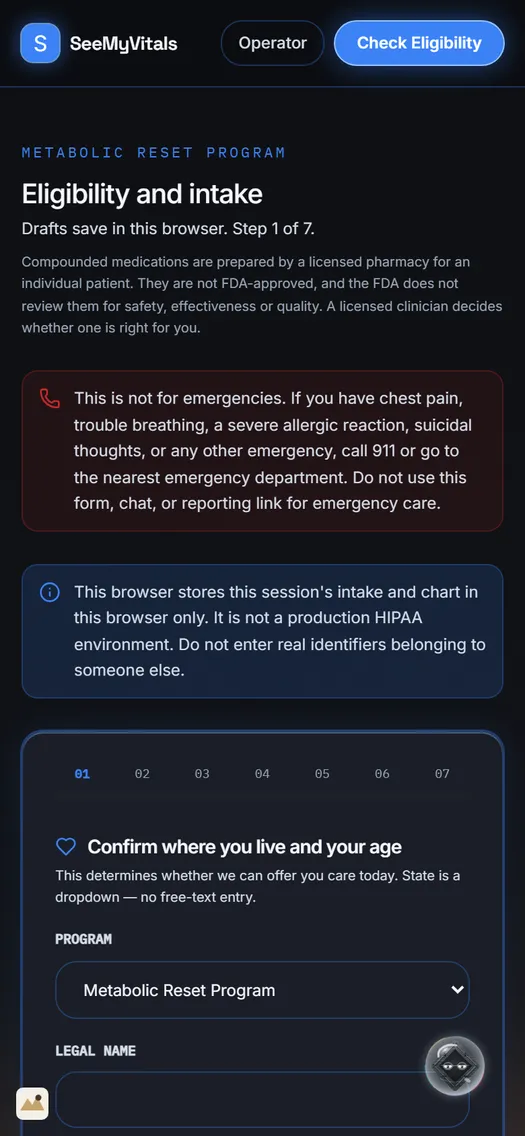
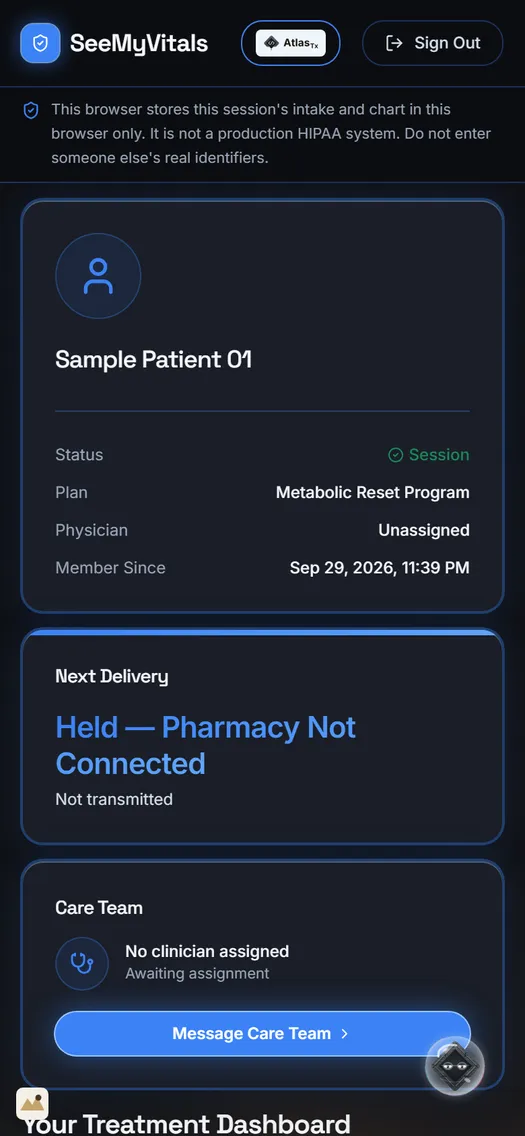
Captured at 390 pixels wideSame notices, same gatesWrapped to fit your phone
- The front door, intake and the treatment dashboard at a 390-pixel phone width.
- The same notices show on the phone: physician review required, held orders, sample data.
- Perfectly wrapped to fit your phone. iOS and Android apps are planned, for you and your patients.
The patient side is laid out for a phone first.
Patient experience · LastStop OS · sample data09 / 10
SeeMyVitals10 / 10
10LastStop
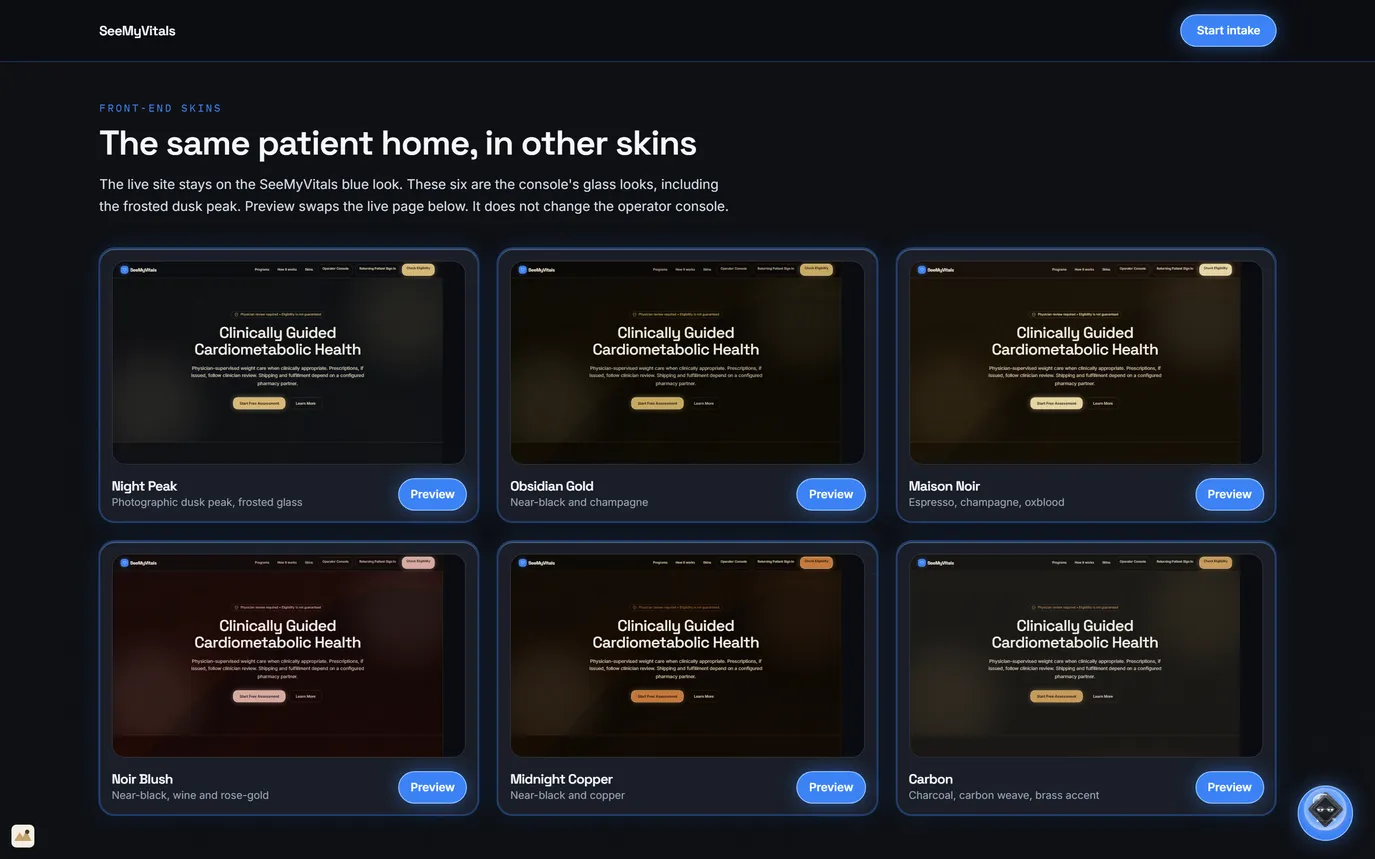
The same home, in other skins
Six glass skinsPreview swaps the page, not the consoleThe live site stays blue
- The live SeeMyVitals site stays on its blue look.
- Six more come from the console's glass looks: Night Peak, Obsidian Gold, Maison Noir, Noir Blush, Midnight Copper and Carbon.
- Preview swaps the patient page below it. The operator console does not change.
- Only the look changes: the same pages, disclosures and gates sit underneath.
One practice, six more looks. The words and the gates stay the same.
Patient experience · LastStop OS · sample data10 / 10
SeeMyVitals03 / 10
03ClaimRight / Compliance
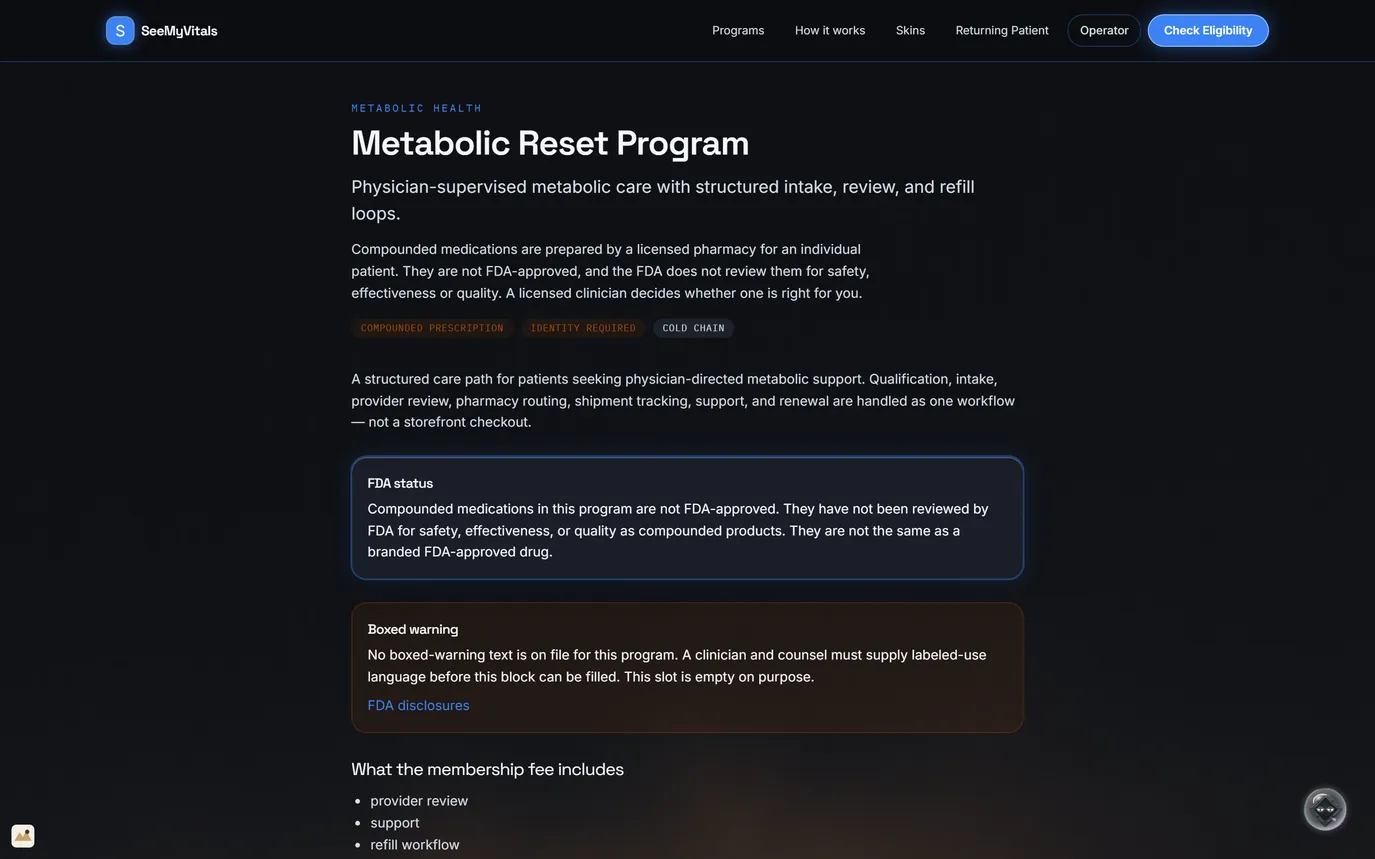
The program page
FDA status in its own boxBoxed warning left empty on purposeIdentity required, cold chain
- Metabolic Reset Program: physician-supervised metabolic care with structured intake, review and refill loops.
- Compounded medications are not FDA-approved. The page says so in the opening lines and again in its own box.
- The boxed-warning slot stays empty until a clinician and counsel supply the labelled-use text.
- Tags show what the program needs: a compounded prescription, identity checks and cold-chain shipping.
- The membership fee covers provider review, support and the refill workflow.
The FDA status sits on the program page, not in the small print.
Patient experience · LastStop OS · sample data03 / 10
SeeMyVitals05 / 10
05LastStop
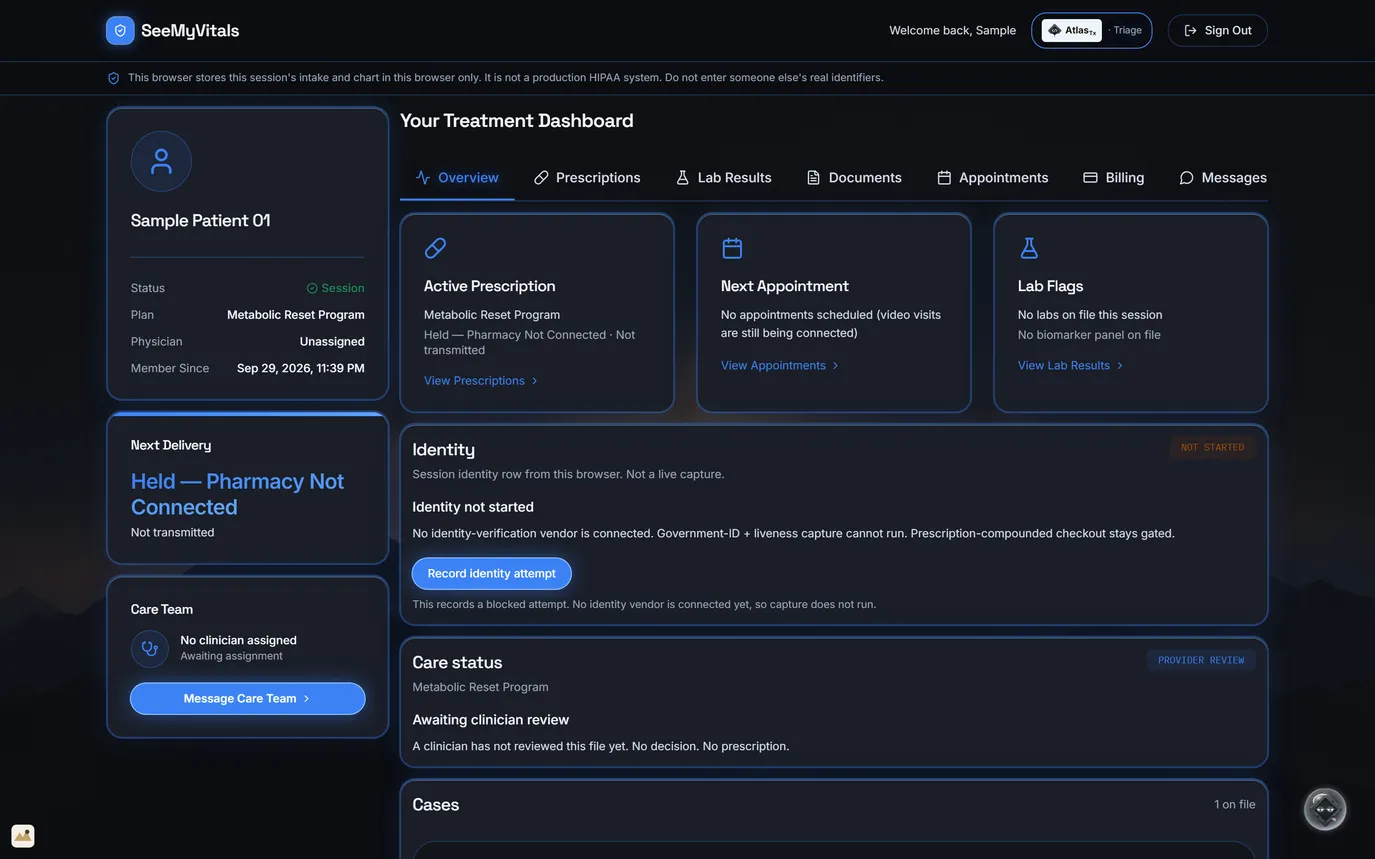
The treatment dashboard
Care status: awaiting reviewIdentity: not started, and whyHeld: pharmacy not connected
- One sample patient: plan, prescription, next appointment, lab flags, identity, care status and cases.
- Nothing is dressed up: no clinician assigned, no decision, no prescription yet.
- Identity checks cannot run until a vendor is connected, so compounded checkout stays gated. The button records a blocked attempt.
- Video visits are still being connected, so no appointment is shown.
- The chart lives in this browser in the demo, and the banner at the top says so.
Where the case stands, in plain words: awaiting clinician review.
Patient experience · LastStop OS · sample data05 / 10